Had a chance to visit with Tom Taback (sitting in for Mike) on my monthly Tech Talk appearance at KAZM Radio station in Sedona, Arizona.
Taback & Coates recording Tech Talk – Photo by Josh using the Lumix FZ2500
Tom and I chat about new Lumix cameras and some of the features that help get well exposed images. We also chat about advanced features, creating art and where I’ll be traveling to share info on photography and the Lumix line of cameras.
Yours in Creative Photography, Bob
PS – In the program I refer to the Lumix FZ1000 (which is a fine camera too!) as the camera I have with me. It is actually the newer model Lumix FZ2500
A couple of days ago I shared some ideas on working a scene to yield more and/or better images from a landscape photography shoot. See that Post here. The post was getting a little long, so I decided to continue sharing a few images and some more ideas.
I talked about using technology to improve upon a capture along with changing the view of the scene and not getting locked into the first composition you feel works. I did lock down my Lumix GH5 on a tripod on what I felt was the best image with lots of depth and dimension to layer passages of time into the final process. That’s why I also carry an additional camera to capture other areas and things which grab my attention.
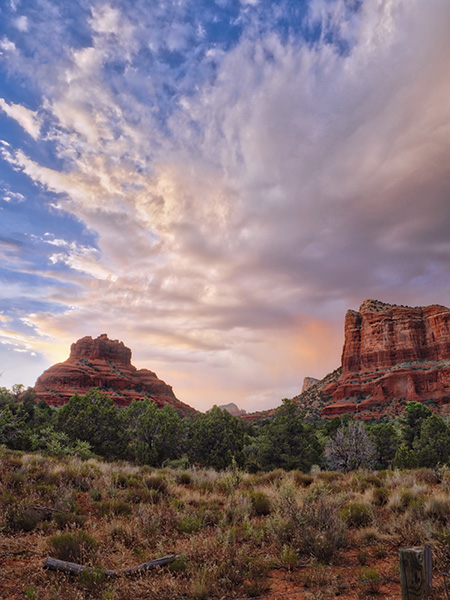
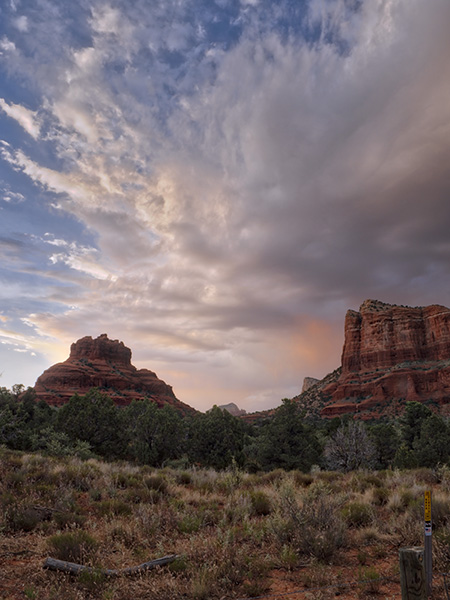
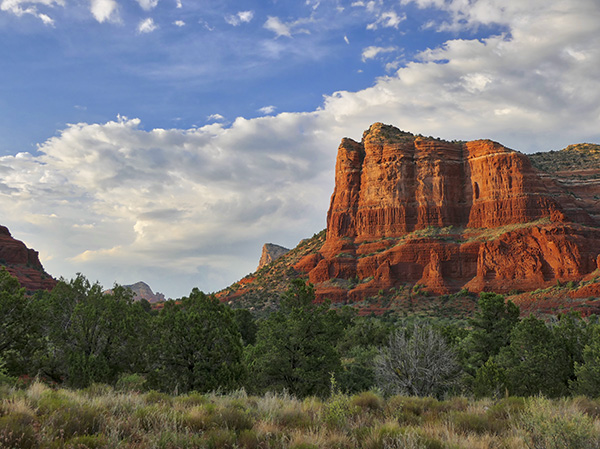
This image was processed in *Macphun’s Luminar Neptune used as a plug-in in Adobe Photoshop. Luminar can also be used as a stand-alone program to process your files. As shown below and I wasn’t able to pull the details and color the way I wished.
This was the original process using Aurora HDR 2017 and four of the five one-stop exposures I made of the scene. I wasn’t able to pull the details and color the way I wished. Then I moved to Luminar for the finishing. (see the top image in the post)
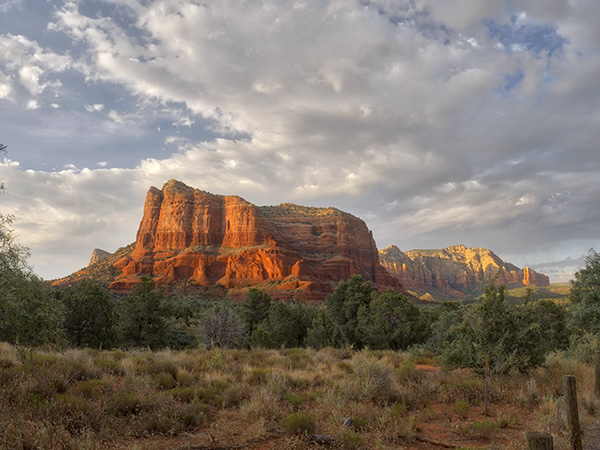
So a different angle and a different ‘feel’ give me more from the shoot.
Let’s keep going with a couple more examples.
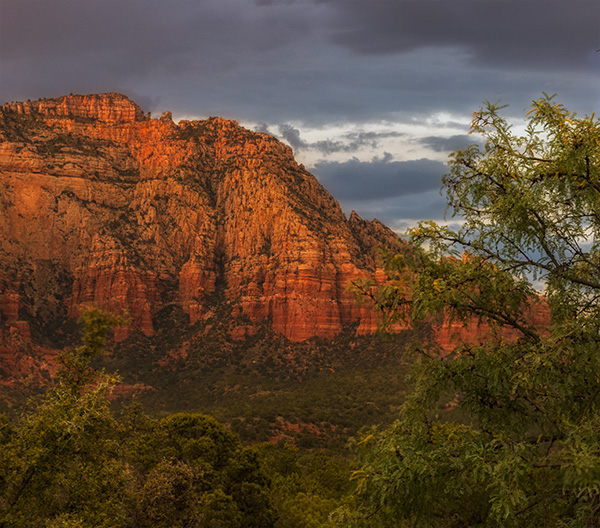
Zooming into the scene has a more intimate feel. The lighting shown here was a situation the appeared and disappeared quickly. Able to capture it with the FZ2500.
When I posted this little guy on Instagram, https://instagram.com/bob_coates I received a few EWWW’s, but I feel a bit of real nature’s beauty here. He’s kind of cool!
Yours in Creative Photography, Bob
PS – * Luminar is in Beta for Windows machines. Check it out here.
There is one error that I see repeated in photographers work that come to me for some feedback.
Know what it is?
It’s getting to a beautiful scene and not working it to see how many different ways the scene can be photographed. There are many options for creating different looks on location. Here are a few ideas for expanding the number of bonafide keepers for your photo collection.
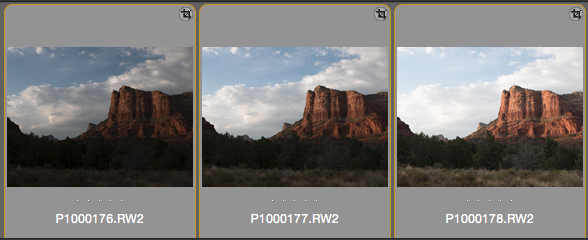
First image of the evening. Photographed with the Lumix FZ2500 bracketed exposures due to foreground being in shadow. Processed in Aurora HDR 2017. I like Aurora because I can pull realistic HDR images without the “HDR!!” look.
You can see when the detail in the clouds is good that the foreground is almost totally blocked up. I usually photograph a sequence of five exposures one stop apart. When processing I’ll sometimes use all five exposures. In this case I used these three.
• Number One on my list is – Wait for different light.
Can’t tell you how many times a beautiful subject or scene is presented but the light was lacking or lack-luster. It’s all about the light people! I have witnessed some pretty terrible photographs of Cathedral Rock in Sedona, which is one of the top ten photographed places in Arizona if not the country. And, I’ve seen an exquisite photograph of a pepper. The difference is the light. When you get the chance spend more time on location waiting for the sun to change or do your best to return when weather,sunrise or sunset can add more interest to the beautful vista.
I know I said one error but as I was writing this post a couple more jumped into my head.
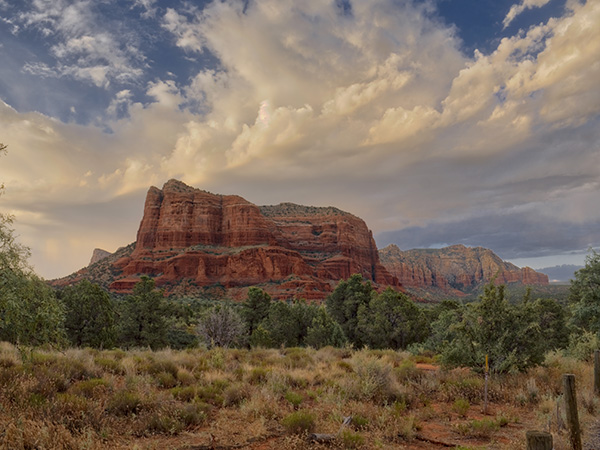
Different view of the same scene a little while later. Made with the Lumix GH5 and the 12-60mm f2.8-4.0 lens
• Number Two – Change your view
There are a veritable plethora of possibilites to accomplish this. Walk closer. Walk farther. Zoom in. Zoom out. Change lenses. Get your camera higher, or lower. Of course, this is in addition to working the light if at all possible.
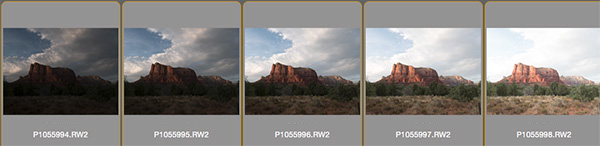
Here was another exposure made at a slightly later time when the clouds parted. I made all the exposures from a locked down tripod in order to be able to mix and match different moments in time.
Differnt exposures allow for different processing options to give make it possible to show a photograph of the scene as you saw it.
• Number Three – Utilize available technology
When capturing images think about the scene. (we’re back to the light here) Is the enough dynamic range in your camera chip to capture all the detail you need in highlights AND shadows? If not, then please grab a few extra frames and process the images in HDR. I’m not necessarily telling you to go for the oveerprocessed, highly garish HDR techniques we have seen over the years. But with the correct technique you will have much better detail in the highlights and the shadows if you process properly without going over the top.
There’s something about water and the sound an motion of it that speaks to my soul. It calms. It relaxes. It stimulates deep and comfortable thoughts.
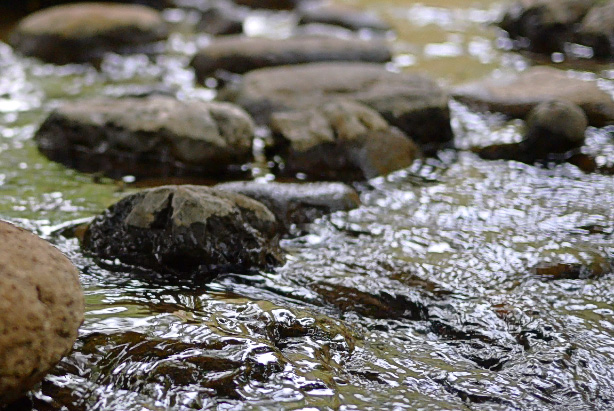
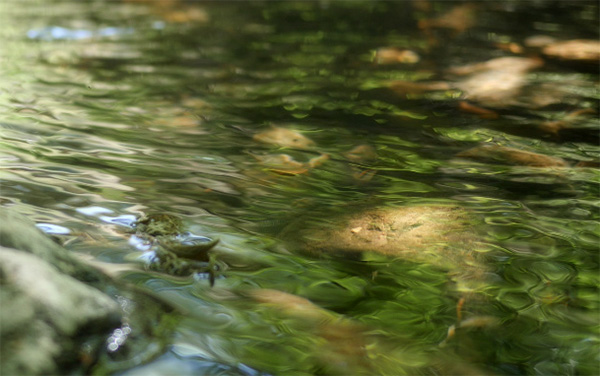
Still frame from the video at Beaver Creek. Look below for sound and motion.
I made a short video to share with you from a small little-known creek south of Sedona, Arizona. The place is called Beaver creek and while I often find it barren of people, it is also enjoyed by families, fellow creek water enthusiasts and my photographer friends enjoy an exploration along it’s banks.
Take less than a minute to enjoy the sound and some of the sights. Breath in. Breath out. Relax.
The video below is a time-lapse of Beaver Creek near Sedona, Arizona. Time lapse of water gives a slightly jerky feel at least the way this was captured and processed. These were captured a frame every 2 seconds and processed out to time lapse at 24 FPS 4K video then slowed 50% in post-production in Adobe Premiere Pro. The sound was added from another clip of video captured at the same place.
Watch for ‘The Dance of the spiders’ in the right-hand bottom corner.
Watch the space pictured above when you look at the video and you’ll find my ‘spidey’ friends.
Images captured with the Lumix GX8 and the Lumix G 20mm f1.7 lens. In a couple of days, I’ll share some video from a different day on the creek shot with the same gear and an entirely different feel.
For infrared conversion of my cameras I use LifePixel. Infrared allows you to put an older camera to use and opens up a new time time of day for productive image creation.
Learn Photoshop in a fun environment. Aaron Nace applies the right amount of fun with easy to understand and follow tutorials. Actions and brushes are included with lessons!
Best embroidery ever. Give Queensboro a try, get a $20 instant credit to get started by clicking on the logo! They specialize in great quality custom logo apparel and promotional products with the best customer service.
Platypod has become a great resource for being creative in getting your camera gear easily into unusual places. As an Platypod Pro I get to work/play with the gear even before it comes out. Head over to Platypod, subscribe to the newsletter and you will get special discounts reserved only for subscribers.

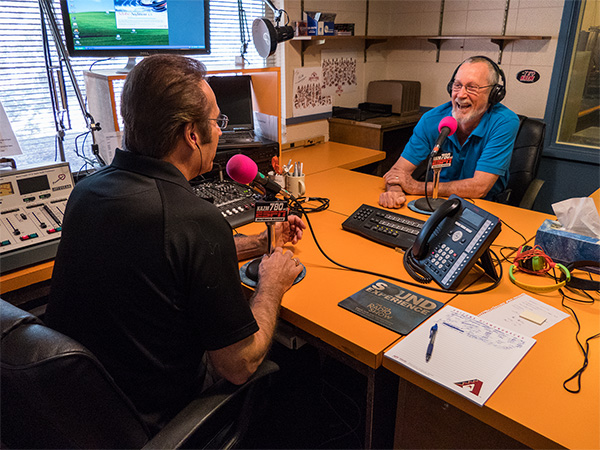
 Taback & Coates recording Tech Talk – Photo by Josh using the Lumix FZ2500