I’ve always wanted to attempt water droplet photography.
And now I have!
It’s kinda like photographing fireworks in that you never are quite sure what you are going to capture when the shutter is fired, but you don’t have to wait for the Fourth of July either. This is something that could consume me as there are endless variables to throw into the mix. What can change the look of any image? Type of liquid, the color of the fluid, the temperature of the liquid, the size of the drop(s), flash duration, add another flash, and another, change the background color, add color gels on the flash…
Arrghh! It’s fun if a little frustrating at times when you think you have done everything exactly the same but get an entirely different result. I now understand where someone had said that making these images is part science, part art and lots of luck. As Thomas Jefferson said, “The harder I work the luckier I get.” That might not be an exact quote, but you get the idea.
Here’s are some examples from my first couple of days.
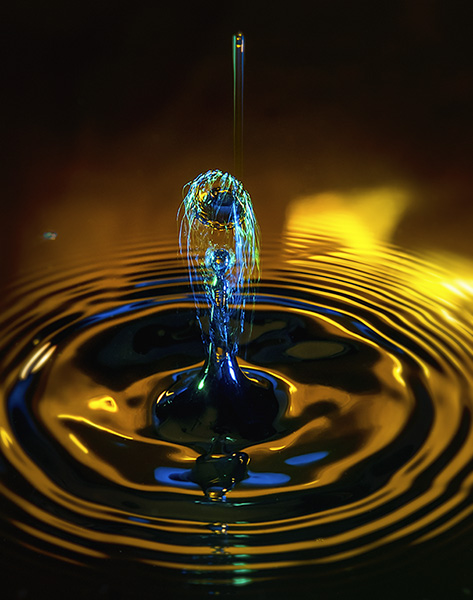
This is from day one of playing in the water with splash photography
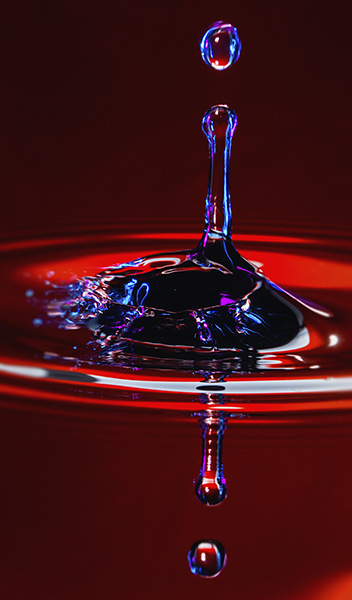
This from day two shooting. Playing with lights and droplet timing.
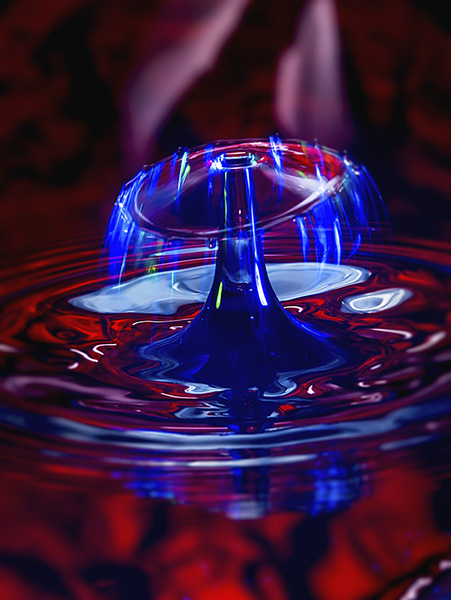
Day Three
Day Four with thickened water and new timings for dropping the drops.
As I said, the photographing of the drops is part science and part luck. You can increase your luck by adding to the science in your arsenal. I purchased some help in the form of the Pluto Trigger and the Pluto Valve. The Pluto Trigger is a pretty amazing controller for your camera. In this case, the trigger releases the waterdrops and times the firing of the flash. Even with that control, there are still a lot of variables in play.
And I like it.
In the next couple of days, I’ll share my set-up and some things I learned as I have started this new photography genre.
Yours in Creative Photography, Bob
PS – I’ve just bought the Pluto Trigger, and like it so much I’ve signed on as an affiliate
Yesterday I shared a time-lapse video shot and processed with my Lumix GX8 and Adobe Premiere Pro.
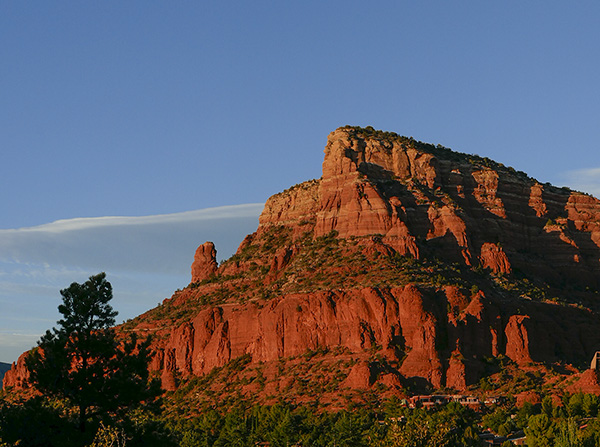
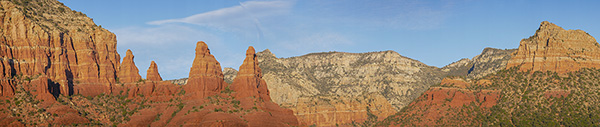
While those frames were being recorded I used the GX85 to photograph some still images. Here are a couple in-camera panoramas. Cameras are becoming more like portable imaging computers with each new release.
Stitched in-camera Sedona pano. Hwy 179. The camera is held in the vertical orientation to give a slightly taller image. If there was lots of cloud action I would have taken a second pano and stitched them together in Photoshop for an even taller rendition of the scene.
The field of view depends on how long you continue to pan. A longer panning time gives a different aspect ratio.
Here’s a tip for creating smooth panorama photos with clean stitching. This is an old videographer’s trick. Point your body and feet to where you would like the panorama to end. Then using your stomach muscles turn back to the starting point of the image. Make sure the camera is tight against your forehead and is not tilted. Then using your stomach muscles gently pivot to the end of the field of view. The stomach muscles are larger and more stable giving you a smoother movement resulting in less stitching errors. One final note, there is a preview of your capture in the viewfinder. You will want to go a little bit further than you see or your image will be truncated just a bit. If you are moving too fast or too slow or the light is too low, the camera will return an error message.
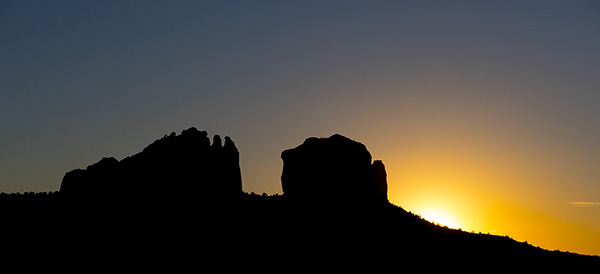
Of course as the sun begins to set colors can change immensely
And of course, don’t forget to turn around. This is the back side of Cathedral Rock in silhouette.
Our creative tools are getting better and better. It’s a fun time to be an image maker.
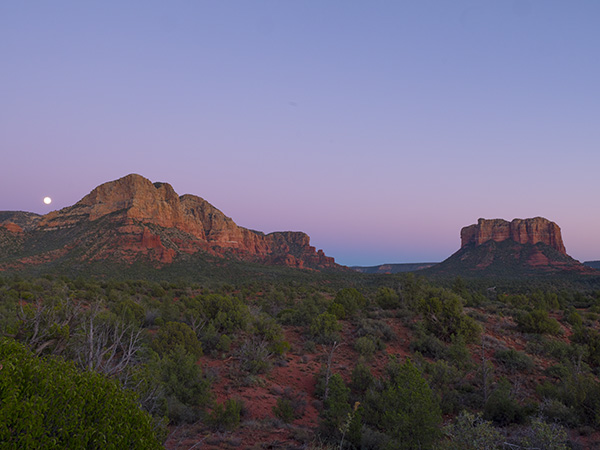
While out waiting for the moon to make its appearance the night before the Supermoon I worked a couple of cameras. I set up the Lumix GX8 to do a time-lapse of the sunset/moonrise. Glad that I also had the Lumix GX85 as a second camera to mess about with while the time-lapse was being recorded.
Here’s a still I pulled for the time lapse sequence.
The time-lapse was pretty simple. The settings are available in the camera. No need for an intervalometer. Under the Time Lapse Shot menu, you have the choice of Start time which can be immediately (now) or a time set in the future. Shooting Interval which is the amount of time between frame captures. Image Count which is the number of frames to be captured. In this case, I fired one frame every four seconds.
I thought I had a better position for the moonrise which was quite a bit to the right of where it actually showed up. I stopped the captures pretty early after the moon made its appearance. Looks like I need to calibrate my compass.
I was able to add some interest because I choose to have the camera process the still images to a 4K video. 4K video enables you to move around in the image without losing quality which I did in Adobe Premiere. Did you catch that part about the camera processing the time-lapse? A very cool feature. I choose the output settings including quality and frames per second. In this case, I used twenty-four.
For the video below I changed the output settings to 12 frames per second. I did a little color correction and added movement in Adobe Premiere.
Tomorrow I’ll show you what I was photographing with the Lumix GX85.
Testing out some features in the Lumix GX8 while shooting the moon.
What better moon than the full one of October with clear skies? I used the Leica DG Varia Elmar 100-400mm lens racked out to 800mm. This combo allowed me to get crisp solid captures when zoomed all the way out to 400mm which is 800mm equivalent in full frame cameras. I continue to be pleasantly surprised with this lens.
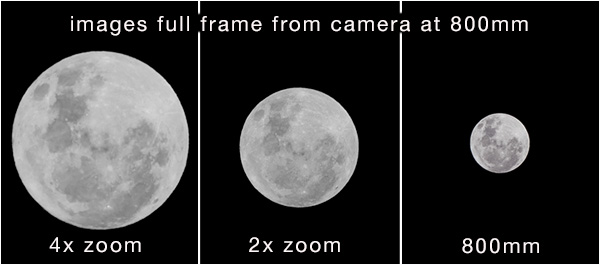
I made multiple images to try out the digital zoom feature in the GX8 to see what you give up in quality buy zooming in camera. It can go 2X and 4X.
This shows what you see in the viewfinder when you apply the digital zoom.
What are the advantages of the digi-zoom over shooting in RAW and upping the resolution in the file during post production? None if you are only getting the moon. On all my exposure tests I was able to get a better-looking file when resizing the RAW file. When you use the digital zoom you MUST be in jpeg mode, so you are loosing some information right from the beginning. The advantage is that you can see what the image looks like in the viewfinder. If I were just using the moon image all by itself as we see here, I would choose to shoot RAW. Where the difference come in is if we are shooting the moon in relation to some other part of a scene. In that case, we would get the compression of shooting a longer lens which wold render the moon larger in the scene in relation to the objects. We’ve all made that shot when we first started out where the scene is gorgeous, and the moon is an integral part of the beauty, and it turns into this tiny little white dot in the view. Of course, our eyes make us think it is bigger than it actually is but lens optics rule the day!
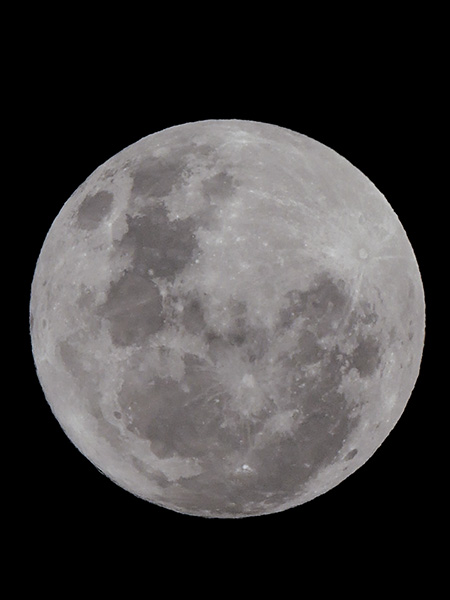
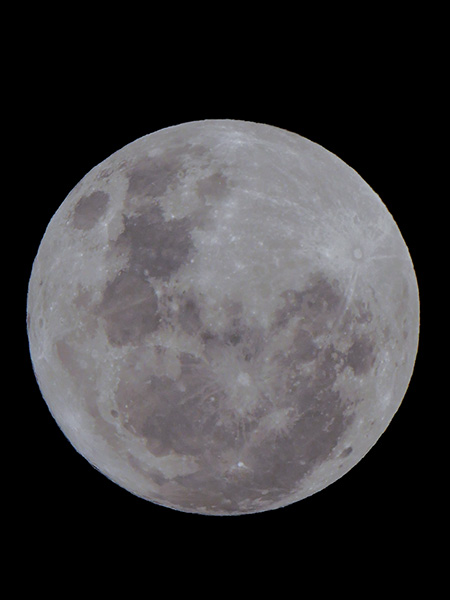
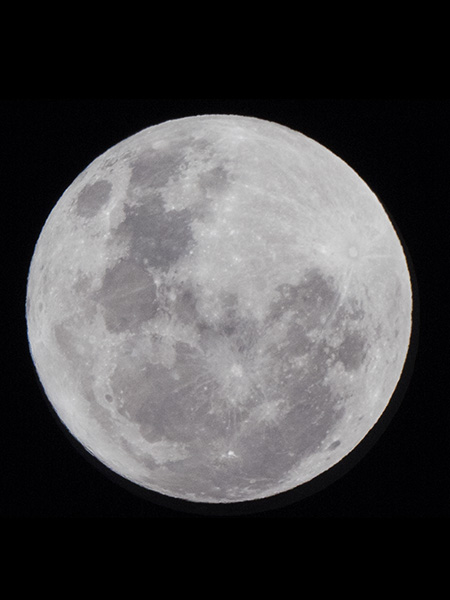
Here are the images all made to meet up with the full frame of the 4X capture.
4X capture
2x capture
RAW capture cropped to match 4X zoom view and output as a 20MP file. Quality is much better in my opinion.
I didn’t have time last night to get the moon into a scene, but I’ll try to set something up in the future to show you the value of engaging the digital zoom feature.
Yours in Creative Photography, Bob
PS – Please note that the moon has been rotated in post-production for all images to use a vertical orientation.
That’s an age-old question that has been debated for many years and will continue on into the future. I think it is and this is my blog so until I hear from you otherwise, we will proceed with the concept that photography is art, especially as we push the boundaries with composite work and adding paint strokes with programs like Adobe’s Photoshop and Corel’s Painter.
Which brings me to today’s quote from Alfred.
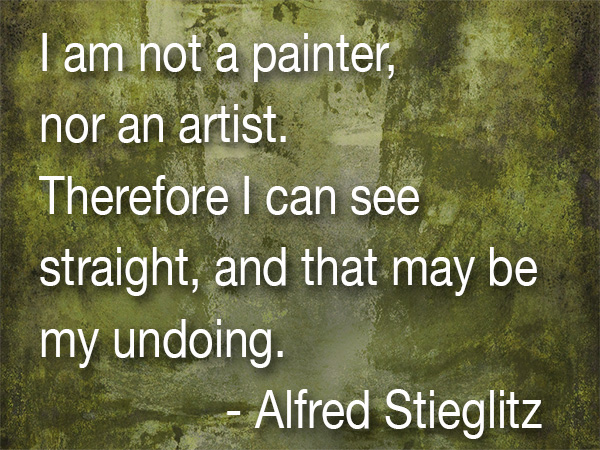
“I am not a painter, nor an artist. Therefore I can see straight, and that may be my undoing.” – Alfred Stieglitz
We all get to times when we doubt our skills and techniques in making our imagery. I feel like I am in good company, and you should too when I realize that even a talented and renown photographer such as Stieglitz showed that he felt not being loose enough in his thinking was a detriment to his work.
What can we do to make it easier for ourselves in creating our images?
I think number one on the list is to study in the other arts such as painting. You learn a lot about color, composition, and feel to add to your toolbox. More tools, More thought equals better imagery.
When you are searching for these extras for your knowledge base you can find them in books, from discussions with other artists, magazines, the Internet and strangely enough even cartoons. I found this wonderful cartoon from the 50’s from Disney with Donald Duck traveling through Mathmagic Land with great explanations of composition. You can see it below. It’s about 25 minutes long and fun to watch. If you don’t have that much time you can see segments of the video in bite-sized pieces by doing a search on YouTube.
For infrared conversion of my cameras I use LifePixel. Infrared allows you to put an older camera to use and opens up a new time time of day for productive image creation.
Learn Photoshop in a fun environment. Aaron Nace applies the right amount of fun with easy to understand and follow tutorials. Actions and brushes are included with lessons!
Best embroidery ever. Give Queensboro a try, get a $20 instant credit to get started by clicking on the logo! They specialize in great quality custom logo apparel and promotional products with the best customer service.
Platypod has become a great resource for being creative in getting your camera gear easily into unusual places. As an Platypod Pro I get to work/play with the gear even before it comes out. Head over to Platypod, subscribe to the newsletter and you will get special discounts reserved only for subscribers.


 This is from day one of playing in the water with splash photography
 This from day two shooting. Playing with lights and droplet timing.
 Day Three
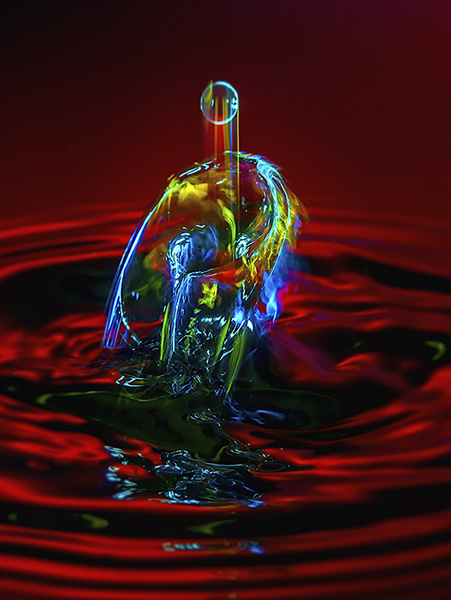 Day Four with thickened water and new timings for dropping the drops.