Found this chart on Design School a web site for creative graphic designers I think we as photographers face the same challenges and fears as any other creative does i any genre. I’ve also found when I’ve looked outside the traditional channels for getting creative about photography I find there is a whole world of ideas that we can apply. Here’s a great thought starter for jumping your creativity up a notch or three.
Find more awesome design content at designschool.canva.com
Put some, or all of these ideas, into play & you will find new and exciting things happening in your photographic life.
If you’ve been following me for very long you know I’m a big fan of self-assignments to grow skills and earn new business. As a matter of fact, in putting together programs to teach other photographers about this I came to the realization that I’ve built a large part of my career by doing just that. I’ve built skill sets and gained new clients by giving myself a project as if I was the client. What kind of things?? Things like designing an art piece featuring a business or designing a magazine cover or line of T-shrts. Then taking the resulting work to the potential client and often ended up with pay for doing work I did to learn. At the very least, even if the client didn’t buy that piece of work, they were made aware of my capabilities. In addition, I would enter the resulting images in Competition and sometimes be fortunate enough to win an award or two and generate press release opportunities.
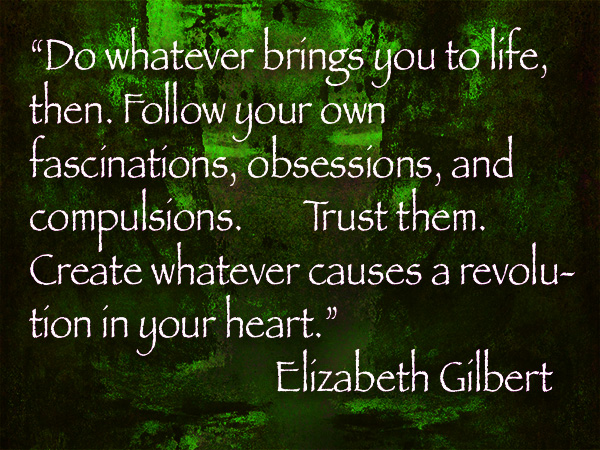
Which brings us to today’s Photo/Art Quote which I think shows you that even if you get no work it’s a great way to jump start your creativity.
“Do whatever brings you to life, then. Follow your own fascinations, obsessions, and compulsions. Trust them. Create whatever causes a revolution in your heart.” (Elizabeth Gilbert)
Sponsored Speaking Program Available
If you are part of a photo group looking for inspired speaking programs I am available. As a Panasonic Lumix Luminary sponsorship is available to eliminate or cut down the cost of having the presentation. Check on the seminars page for more information about this program or others available or give me a call to chat about options and possibilities.
In a previous post I showed you a finished time lapse video captured from the parking lot of Mariposa Restaurant in Sedona overlooking the red rocks after having lunch there last Sunday afternoon. While having a great lunch we were watching the clouds clear after a bit of weather. And you guessed it, I had to run home and grab my gear. Today I’d like to share some ideas on what settings to look at when thinking about creating your own time lapses.
Depending on your scene and how long you would like to cover it you should decide the space between your image captures. Math comes in handy here and you will start to have an idea of your settings almost by instinct. For example, depending upon the speed of moving clouds I’ve found the interval that works for me is between three & five seconds. The rate that the images should be played back is between 12-24 frames per second. The time lapse in the previous post covered a period of about 40 minutes with 3 second intervals and 24 fps. This translated into a video that was about 35 seconds long. Now not being a fan of that much math here is a calculator that will help you figure things out including how much memory you will need to have in your camera to complete your session.
Time Lapse Calculator
Time Lapse Calculator from PhotoPills. You can download your own for your web site or get the App to calculate while on site. Try it right here you’ll like it!
Lumix Time Lapse Processing Features
A great feature in the Lumix cameras like the GX8 used to capture this time lapse is the ability to process the video in camera choosing from a large number of settings in quality and frame rate. When calculating how much memory you need to have on your card remember you’ll need room to process and store the final video as well. I processed out the video using the 4K setting. 4K is four times bigger than HD video which means you can place it in an HD timeline then have room to pan and zoom which adds a lot to the final product. There are many programs you can use but I used Adobe Premiere Pro CC.
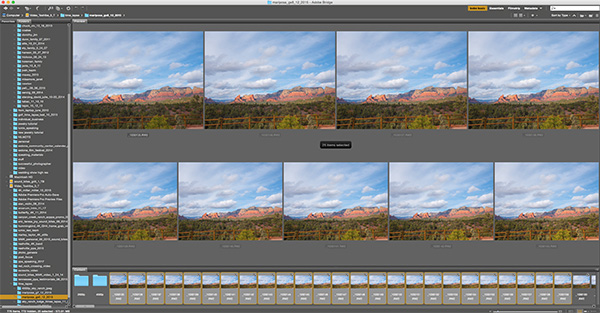
Screen Capture of still files in Adobe Bridge.
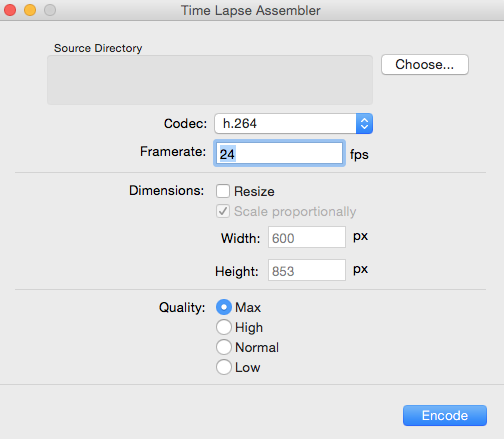
I shoot in RAW so I can process the original files for stills or for color tweaking if necessary. Then process out the files into jpegs and use a free program such as Time Lapse Assembler to put your video together. (link for MAC for link for PC. There are plenty of free or freeware programs to choose from. Find the one you like.
Time Lapse Assembler window. I like it because it’s pretty simple and straightforward!
Shoot longer than you think is necessary. The first couple times out my time lapses were only seven seconds which was a little disappointing. Use the calculator above to save yourself some heartache.
Always found myself interested in time lapse imagery. The Netflix Original series House of Cards show intro brought back the ‘want’ to try to create some of my own. The short time lapse clips used were quite captivating! I had held back in the past because the techniques were too cumbersome and software was a bit of a PIA to manipulate to get some good results. For most cameras you had to have a separate timing gizmo (called an intervalometer if you need one) for a camera to capture your images and be able to program it properly.
Fast Forward to today
Like many things there have been some incredible changes happening in camera technology. Most of the newer Lumix cameras (and other brands and cell phones) have the time lapse capture built right in. You can easily program the camera to capture X number of images at X seconds for X number of captures. The camera will tell you the time the shooting will be completed. OK here’s the really wonderful part. The camera will even process the images into a finished time lapse giving you many choices of quality, size, number of frames per second and output format. This takes a lot of the hassle out of creating time lapses. Now you can use that as a finished file or take it to an editing program like Adobe Premiere Pro to add some more action.
Here’s the Time Lapse
Cloud Time Lapse captured 700+ images with one image every three seconds. Processed in camera at 24 frames per second.
Final Time Lapse Video Thoughts for Today
Used the Lumix GX8 with the 7-14mm f4 Vario lens. Couple of things to think about when setting up the capture. How often should you fire the frame? Subject matter and speed of moving objects need to be considered. Manual or Aperture Priority exposure? How many frames are needed? How long do you want the finished video to run. We’ll talk about these settings and processing in a day or two.
Sometime we take ourselves and business a bit too seriously.
Raise your hand if this describes you. (if you could see me my hand would be stretched high!) I know I can be guilty of this sometimes myself. It’s necessary to concentrate and push and practice in order to become better in our craft of photography. But sometimes it’s just time to take a quick break for a laugh.
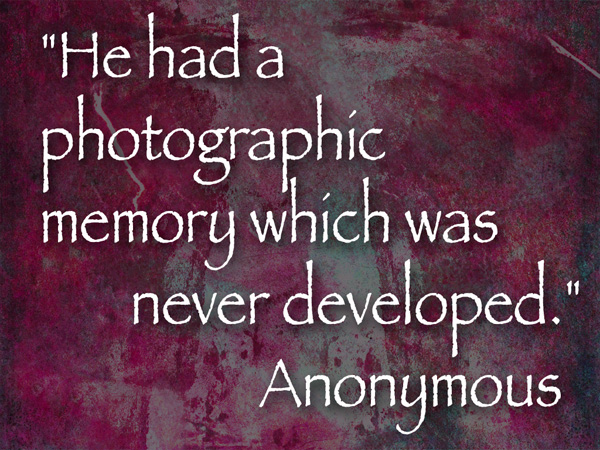
So in today’s Photo/Art quote I give a nod to that oft quoted person that goes by the name of Anonymous.
“He had a photographic memory which was never developed.” Anonymous
If you know of a humorous photographic quote I’d love to hear about it. Have a great Sunday!
For infrared conversion of my cameras I use LifePixel. Infrared allows you to put an older camera to use and opens up a new time time of day for productive image creation.
Learn Photoshop in a fun environment. Aaron Nace applies the right amount of fun with easy to understand and follow tutorials. Actions and brushes are included with lessons!
Best embroidery ever. Give Queensboro a try, get a $20 instant credit to get started by clicking on the logo! They specialize in great quality custom logo apparel and promotional products with the best customer service.
Platypod has become a great resource for being creative in getting your camera gear easily into unusual places. As an Platypod Pro I get to work/play with the gear even before it comes out. Head over to Platypod, subscribe to the newsletter and you will get special discounts reserved only for subscribers.