by successfulbob | inspiration, Lumix FZ 1000, Lumix Lounge, Lumix LX100
Professional Photographers of America Convention
Conventions. If you aren’t getting out for face to face learning opportunities I feel you are missing out on a vital link to running a successful business. It’s true that there are many ways in this day and age to learn more photography, art and business skills via DVD’s, online learning with things like UTube, Linda.com and Kelby One etc… BUT, in my mind you are missing out on the personal connections and being exposed to new sights and sounds outside your normal working environment. That stimulation can be key to having wonderful breakthroughs in the art and science of running your business.
Here’s the view out the porthole of the plane on the way to Atlanta. Used the Lumix FZ1000 set to macro mode to get the camera close to focus on the rain trails running by my view…
 On the tarmac waiting for liftoff in Phoenix, Arizona
If you are here at Imaging don’t forget to say ‘Hi’!
Yours in Creative Photography, Bob
by successfulbob | 4K video, landscape photography, Lumix GH4, Lumix Lounge, photography, photography creativity, photography education, photography gear
Using Still Frames from Time Lapse
When making a time lapse (view time lapse video here) image you can leverage a thing I often do to create a solid look of a scene by using images captured over a time period to get the best of all worlds. As our eye can change the size of the pupil in any scene when looking into the shadow or highlight area we sometimes need to arrest time and blend it into a single image to represent what the eye would actually see. I call this an advanced form of HDR imagery as the images are not captured in one go but with the camera on a tripod blend images that were made while the sun was up, as it was going down, and long after it had crept below the horizon.
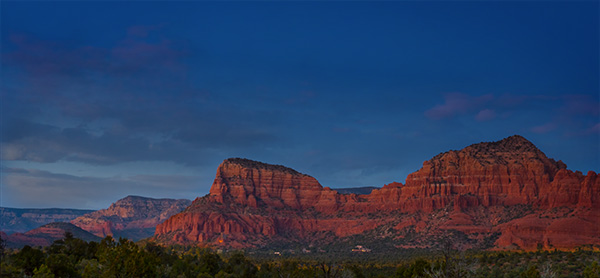 Here’s the final image.
 Here are the images combined and used to create the final. The photo on the left was used for the treeline across the bottom. Next image was used for the cloud formations. The third image was used for the red rocks. and the final image was blended for the deep colbalt-blue sky.
Why use Multiple Images?
I went back and selected images based on the subject matter that was exposed exactly for the area of the scene and using masks blended them together for the final look.
The use of images captured over time verses capturing all the images in a single HDR capture is the quality of the information in the highlight areas and shadow areas as they are captured exactly as they should. This will give you less noise in shadows and cleaner highlights, allow the glow of light in a scene and more.
Gear
A Lumix GH4 was mounted on a tripod with the 7-14mm f4 Vario lens. Images were captured every three seconds over a long time period for the time lapse video. If I was using this for the ultimate capture of a scene verses also for a time lapse I would set the interval for more like an image every five minutes or so.
Yours in Creative Photography, Bob
PS – this technique can also lead to multiple iterations and mood of a scene… Try it you’ll like it!
by successfulbob | inspiration, photography - art quote, photography education
Sunday Photo/Art Quote
Speaking through another medium.
We are photographers but within our chosen medium we have many ways of bringing attention to our subjects. Composition, lighting, color, tone and contrast all plat a part. But if we examine our work a bit more in depth we will see we at, any one time, one of these tends to come forward more often than not in our images.
Which brings me to today’s Photo/Art Quote by prolific artist Georgia O’Keeffe.
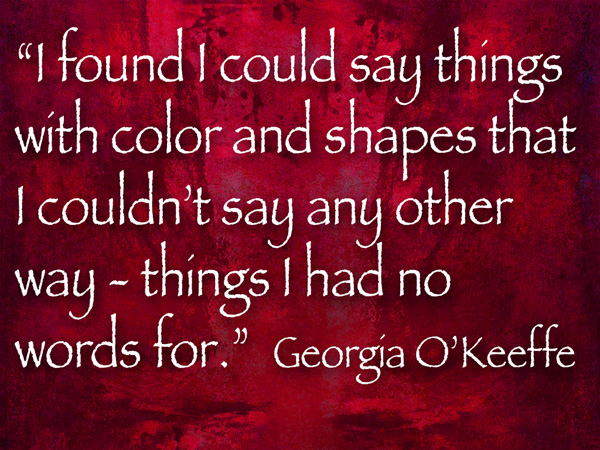 “I found I could say things with colors and shapes that I couldn’t say any other way – things I had no other words for.” Georgia O’Keeffe
So may I suggest when creating your art you give thought to the idea, whether it be portrait, fine art or move to the forefront, your message in the creation of your images. I believe if you think with this in mind you will begin to see your creativity grow.
Yours in Creative Photography, Bob
by successfulbob | 4K photo mode, 4K video, Lumix G7, Lumix Lounge, macro, photography creativity, photography gear
Using Post Focus Photography
It’s a feature I wasn’t sure I had a reason for but again in the studio I used the Post Focus Setting on the Lumix-G7 to focus stack to get a different look from my 45mm Macro lens. This image started with a seven second video clip with the focus point being moved by the camera as the camera searched through all of it’s focus points. I’ve found the camera to capture as little as one second of video to as much as ten seconds depending on subject matter and how deep the focus goes through the scene.
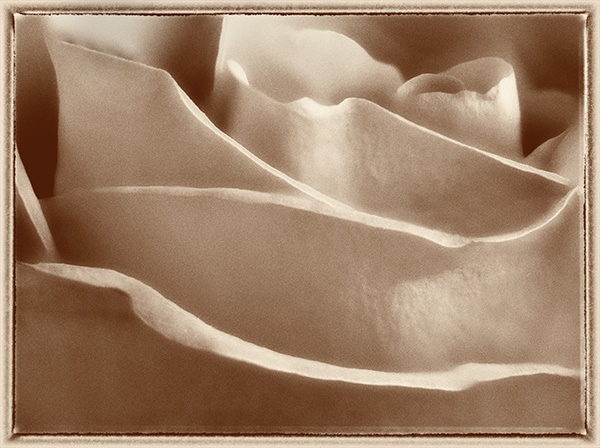 This is my favorite rendition of the rose.
Create the Image from the Video
The steps I used were to download the video. Open it in Adobe Premiere Pro and select the still frames I wanted to work with and saved them as TIFF images. I wanted a soft and sharp movement through the final image. All 17 selected images were loaded into a single Photoshop document by using the Adobe Bridge command Tools>Photoshop> Load Files into Photoshop Layers after selecting all the images. Once the images are in Photoshop all layers were selected and under the Edit menu the Auto-Align setting was applied. Then under the Edit menu Auto Blend Layers was selected with the settings Stack Images with the Seamless Tones & Colors checked. This will take all the ‘Sharp Bits’ Of the image and mask them in.
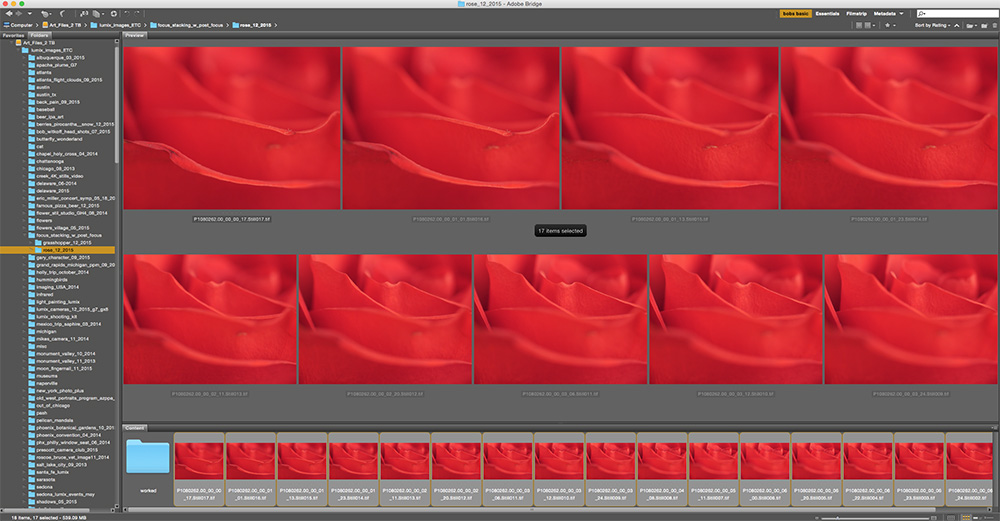 The set of images saved out to individual files for the Post Focus video capture.
 Layers Palette after adding images to file, aligning images and blending. Photoshop automatically created the masks.
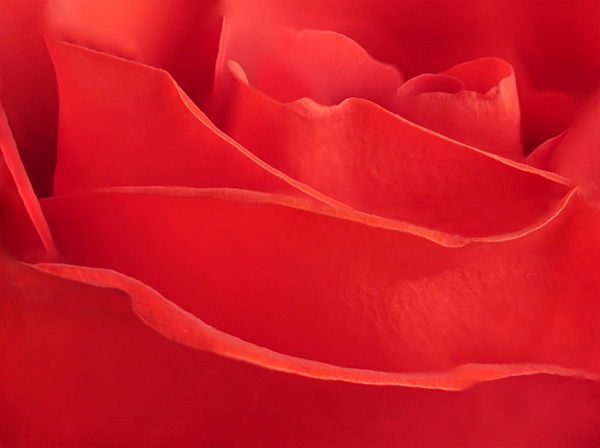 Rose photograph after blending and cleaning up imperfections in the flower. Used Photoshop Tools then moved in to NIK Color EFX Pro 4 for further modification.
Talking Photography Tools
The tools we have to work with like Photoshop & NIK Color EFX Pro 4 can take images to an entirely new level and I keep trying to push to see what I can do. I hope this has been a help to you and at the very least given you some inspiration to think about image making in a new light.
Yours in Creative Photography, Bob
PS – The Google NIK entire collection of software plugins is only $149. Great suite of tools!
by successfulbob | Lumix GH4, Lumix Lounge, musician photography, people photography
‘Wall of Fame’
A new member for the Sound Bites Grill ‘Wall of Fame’ in Sedona, Arizona. Sound Bites is the largest live entertainment restaurant in Sedona and over the years have brought in some great entertainment. I have been fortunate to record many of the fine musicians and entertainers and create photographic art to celebrate their performances. Here’s one of the latest, guitarist Darius Lux.
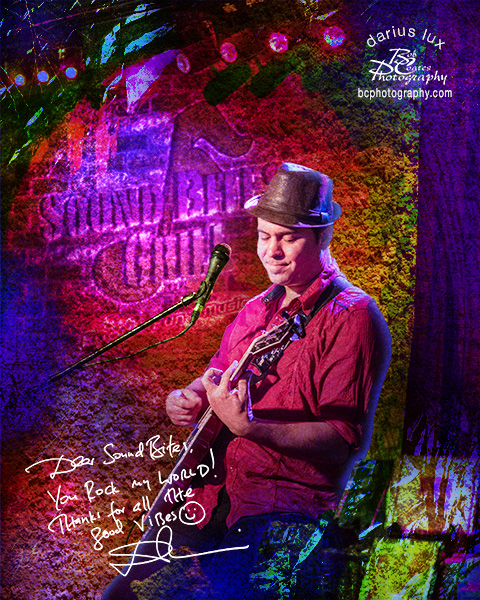 Darius Lux ‘Wall of Fame’ Art
For the curious, here’s how I create the images for the ‘Wall’.
Capture live performance while trying to get good poses that tell the story of the artist. For example, Darius bill himself as ‘Acoustic Spirit & Soul’. That’s why I choose a shot of his eyes down in a thoughtful position. To capture the stage show I use the Lumix GH4 usually mounted with the 35-100mm f2.8 Lumix Vario lens. This makes it possible to capture the action with no flash and from low profile so I don’t disturb guests who enjoying the show.
The artist signs his or her autograph on a blank white sheet of paper with marker that is then scanned into the computer. Using Adobe Photoshop I invert the color so the words and signature are white and the paper black. Then the signature is moved to the file and changed to Screen Mode. This has the effect of making the paper ‘disappear’ and the text remain. This is resized to represent a regular autograph. This would not be possible after the fact as many of the musicians are from out of town. At the very least even of they are from Sedona getting up with them for the signature would take quite a bit of time.
The artwork is accomplished in Photoshop by selecting other images that contain textures and using more Blend Modes, color layers and masks to get the final look. While there is a unifying feel to all the images no two are created in the same way.
Yours in Creative Photography, Bob




