by successfulbob | photography education, photography marketing
Photography Marketing. There are lots of ways to be in your client’s face. (but gently)
Here’s one of the articles I wrote for the Villager in the Village of Oak Creek, Sedona. It’s a basic photography How-To for beginner photographers. This article featured information on how black and white conversions could change the look of an image depending on techniques and color filtration.
You can offer to do this for your local newspapers. There’s no pay but keeping you name in front of potential clients will hopefully cover the time to write and produce image examples.
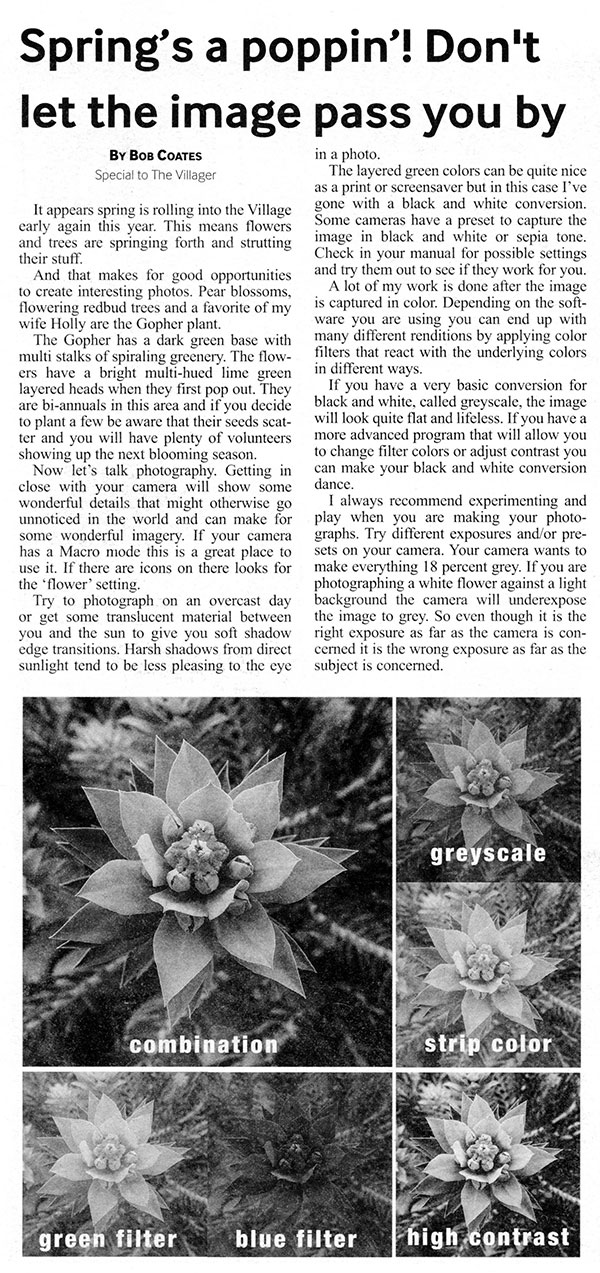
Villager article on how color filters change the look of black and white image.
Don’t make the mistake that I did in this article of not including my bio/contact information. This isn’t a paid gig and is to help people understand photography and remind folks I’m still around and know what I’m talking about.
Yours in Creative Photography, Bob
by successfulbob | Lumix FZ 1000, Lumix Lounge, marketing, photography education, photography marketing
Sedona has had a very wet (for us) spring and the result has been lots of flowers flourishing, in the wild and in the gardens. As you may remember I write a column for the local monthly paper, The Villager, to help keep my name out there. It’s called Photographer’s Corner and I offer tips on making better images. Usually the tips are pretty simple from a pro’s point of view but they are appreciated by the general public.
It was nice while on my Meals on Wheels route to have the Lumix FZ 1000 on hand to grab some flower photos as I saw them. Being able to zoom to 400mm made it possible to shoot from the car through an open window during the rain. (make sure you turn the car off to cut down the vibration) Here’s one of an Iris standing tall on an overcast day which gave good detail.
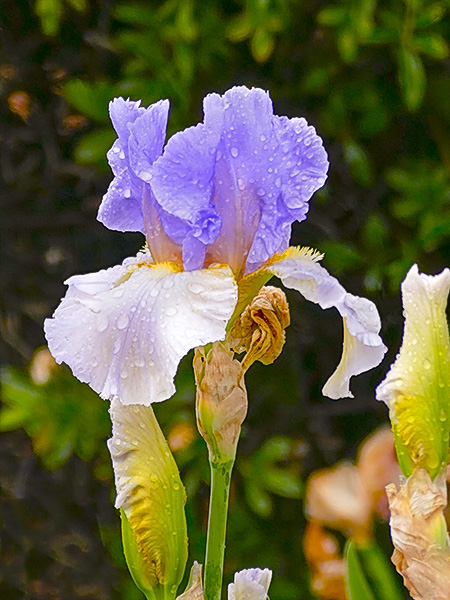
Straight capture for the article illustrating the concept of ‘Filling the Frame’. Camera settings 1/320 sec F4.0 ISO 160
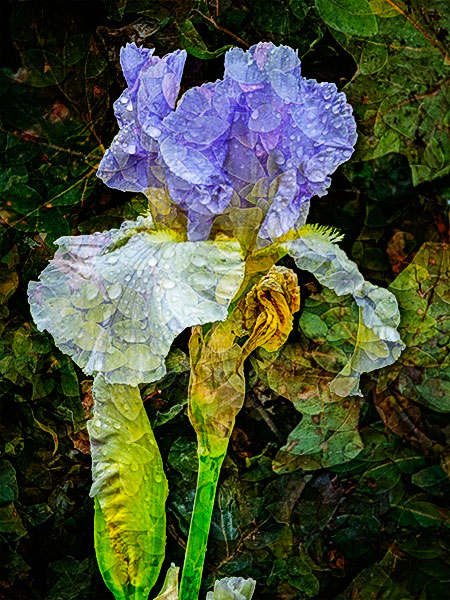
Once I had the image in the computer I had to play just to see what I could see…
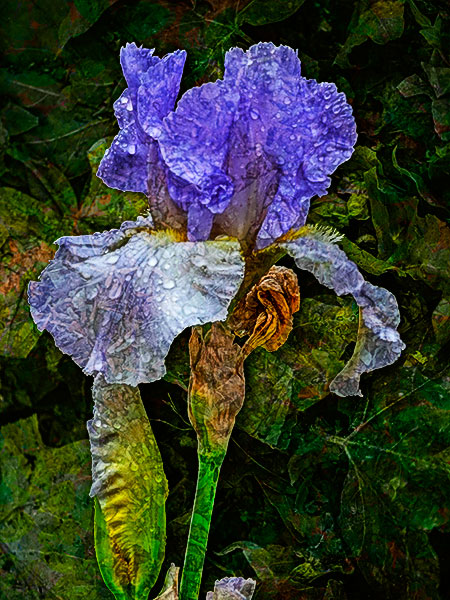
Here’s another version. Always try something new when I have time.
The images were created blending a photo of a wall of small leaves and a photo of some dead leaves raked into a pile. Textures can come from a myriad of places and subjects. Thought I’d keep these textures organic in keeping with the flower.
Yours in Creative Photography, Bob
by successfulbob | commercial photography, Lumix GH4, photography, photography education
Having a camera with you all the time allows you to see a quick moment and record it. This enables you to learn how different objects look in different lighting situations. I do a fair amount of commercial photography and product and often clients are looking for a natural setting photograph that has the feel as if not set up for an ad. Making little studies like this keeps me sharp when figuring out details for future shoots.

Captured with the Lumix GH4 and 35-100mm Vario f2.8 lens 1/15 sec f2.8 ISO 1600
I really enjoy the warmth of this image. Light was coming from the sky through sliding glass doors. The repeating orange light gives this a lot of depth. If I was photographing this for a client I would have added some more controlled light onto the wine bottle with very soft edged highlights and perhaps have added a glass of wine to the set-up.
But since I was there enjoying the music and having dinner with my wife I didn’t push it toooooo much.
Yours in Creative Photography, Bob
by successfulbob | fine art photography, photography - art quote, photography education
When I first started photography I never put a filter on my lens cause I thought it would be ‘cheating’.
When I started using a darkroom it was to create ‘realistic’ photos.
Enter Photoshop and it was just another way to get ‘real’ photos.
Now that I’ve been photographing for thirty-plus years with twenty-plus of them as a pro I listen in wonderment as some photographers belittle newer cameras or Photoshop techniques when creating images as ‘cheating’.
All of the things mentioned here are just tools. The tools help a photographer attain his or her vision to put a final image on a receptor for show. Whether that receptor is a print or a screen doesn’t matter. It is the final image not the journey to it that matters.
Many folks trot our Ansel Adams as the quintessential ‘straight photographer’. He couldn’t have been further from it than the distance between here and the moon. The Zone System, changing exposure, development times, ISO ratings, paper grade choices, enlarger bulb choices and many more techniques went into the final images created by Adams.
Today’s quote is from Pete Turner a wonderful photographer known for his rich ‘in your face’ color images.
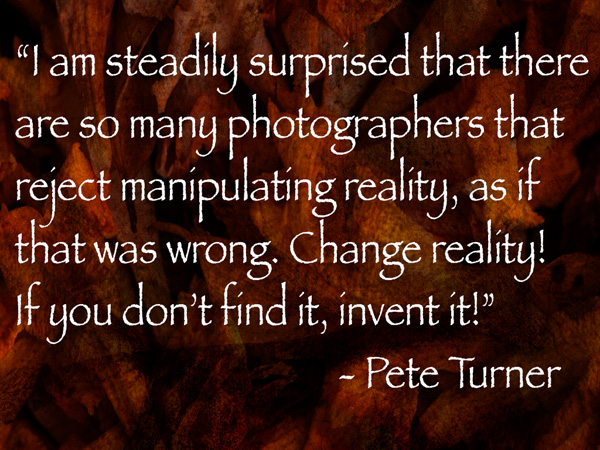
“I am steadily surprised that there are so many photographers that reject manipulating reality, as if that was wrong. Change reality! if you don’t find it, invent it!” Pete Turner
Turner used all the tools available to push his images to an art realm. Pushing color to it’s limits. Sharp focus? Not necessarily! Check out his work for some inspiration to be freer with your camera captures and how you see and share your world through photography.
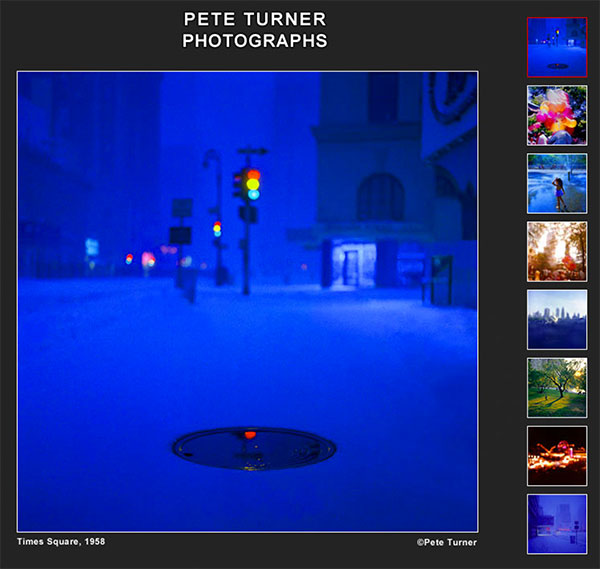
Front page from Pete’s web page of images. © Pete Turner
Nowadays I don’t give a rats butt about how I get the image. Camera, Photoshop, computer are all tools I use. Working hard to share the vision that only I have.
What’s in your head that you’ve been afraid, or unable, to let the world see because you didn’t use the tools available to their full capabilities?
Yours in Creative Photography, Bob
by successfulbob | photography - art quote, photography education
One of the most sincere, talented, giving and wonderful photographers I know is the author of today’s photo/art quote.
Woody Walters.
Woody does a weekly ‘Photoshop Tip of the Week’. You can check it out here…
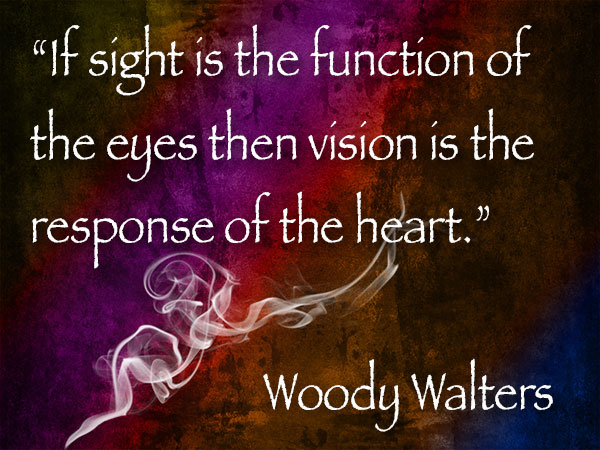
“If sight is the function of the eyes then vision is the response of the heart.” Woody Walters
Woody is a visionary who has shared his techniques in Photoshop and has been an inspiration to me over the years.
Vision is way different than seeing.

Here’s some of Woody’s work… © Woody Walters These are samples of Lightening & Smoke Brushes he created. His set of smoke brushes are, “How should I say?” Smokin!
I wish for you the ability to see beyond what your eyes see and to respond to what is in your heart…
Yours in Creative Photography, Bob
PS – If you want to upgrade from Woody’s free Photoshop Tip of the Week you can use the code ‘Coates15’ to save 15% off the bi-monthly subscription price which gives you access to new longer tutorials and access to download some of Woody’s brushes.
by successfulbob | black & white, Lumix GH4, Lumix Lounge, people photography, photography education, photography gear, photography software, photoshop tutorial
I’m working on a video for a future seminar being hosted by the Arizona Professional Photographers Association (AZPPA) in the fall and here is an image of one of the character actors expected to join us in a western setting. Steve AKA the ‘Sheriff’ is a pleasure to work with as are all the people who will be dressed in period costumes at the event.
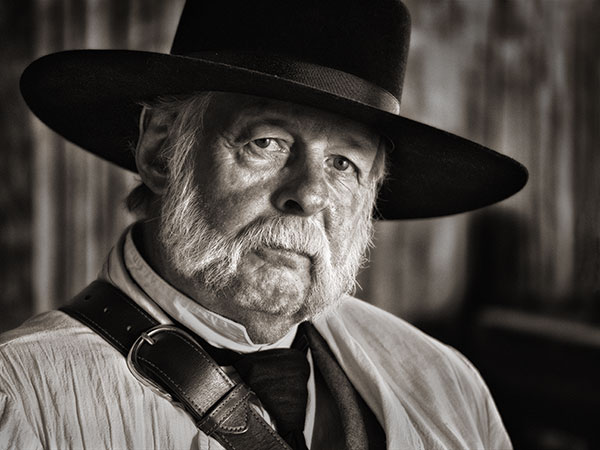
‘Sheriff’ Steve in costume.
Steve was captured with the Lumix GH4 and the 35-100mm f2.8 Lumix Vario Lens. Natural light from a somewhat overcast but bright day coming through a doorway camera right and behind Steve so I could shoot into the shadow side of his face to add depth, dimension and drama to his features.1/15th sec f3.2 ISO 1600 in Aperture Priority with a slight bump in Exposure Compensation to open shadows just a bit.
Post processing often plays into the creation of my images. As Ansel Adams proclaimed, “The negative is comparable to the composer’s score and the print to its performance. Each performance differs in subtle ways.” So here is the original digital capture with no adjustments.

Straight Out of Camera (SOOC)
Top Image was processed in Silver FX Pro 2 to convert to Black and White.
Then some small retouching moves, mostly dodging and burning to control the contrast of the scene.
NIK Color FX Pro 4 Bleach Bypass Filter. Used a Layer Mask to bring back some detail that got whacked.
Back into NIK Color FX Pro 4 to use the Tonal Contrast Filter to highlight details and bump contrast.Layer Mask to control specific areas.
Added a Soft vingette.
Soft Light Blend Mode Layer added to retouch and add extra life to his eyes.
Then a conversion to Sepia Tone using a Hue Saturation Adjustment Layer with the settings Hue 30 Saturation 10 Lightness 0 and Colorize checked. (Got this recipe, or something very similar, about 15 years ago from longtime photographer friend Tom Cheswick)
Link to NIK Plugins
Yours in Creative Photography, Bob