by successfulbob | black & white, graphic design, landscape photography, Lumix GX7, Lumix Lounge, photography, photography education
I really enjoy the use of this preset on my Lumix GX7.
It’s called Impressive Art. It adds a slight glow to hard contrast lines, saturates and shifts colors and punches up the contrast. I’ve used this with success as is on a few videos for a totally different look. (take a peek at video here)
But my favorite way of using this setting was suggested by my fellow Lumix Luminaries to use Impressive Art but adjust output to Black and White. It gives a very graphic look to the image. I like it and have already used this setting to generate happy clients for my biz.
Here are a few from the canal in Lewes, Delaware. I was enjoying an evening Dogfish IPA at the bar and was attracted to the shadows, lines and reflections on the water… I couldn’t just sit there!
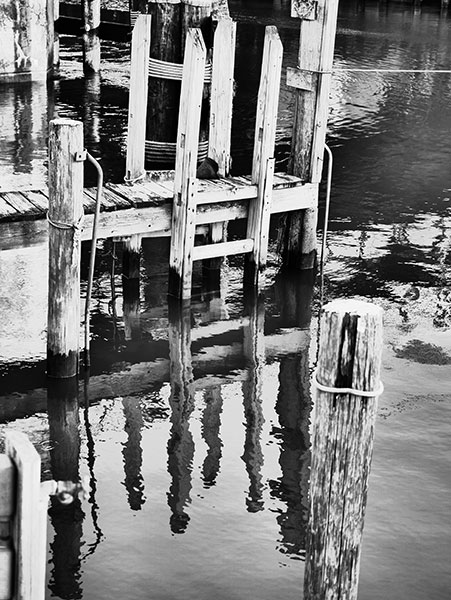 Reflections
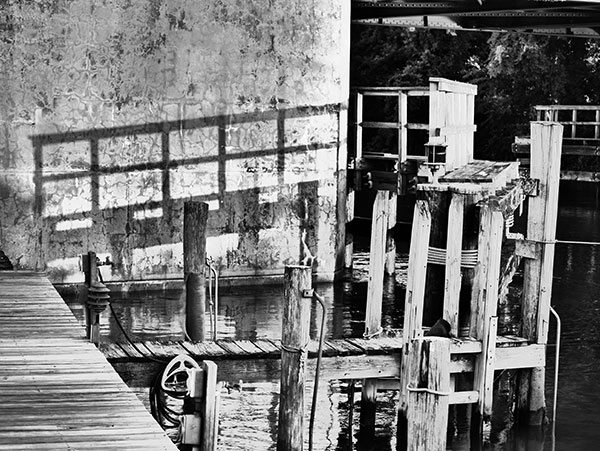 Shadows and Line.
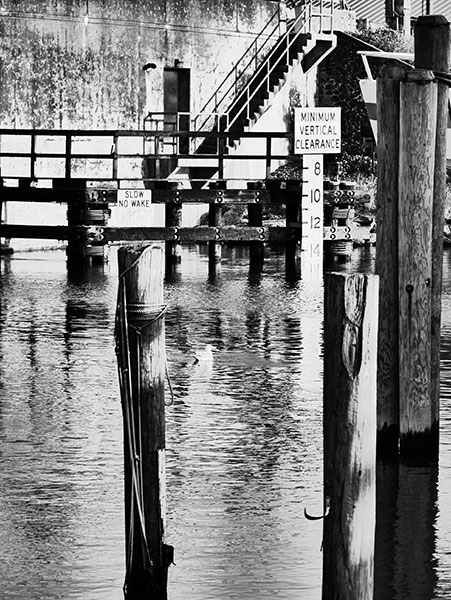 Shadows, Line, Reflections.
When using the presets on the camera make sure that you are capturing in jpeg. If you just shoot RAW you will see only the hint of what you thought you were capturing as the camera jpeg disappears when you download it. For the best of both worlds choose to capture in RAW + jpeg. Then you will have the camera settings but also access to all the information presented to the camera so you can do your own processing
by successfulbob | people photography
I am one of the ‘Faces Of PPA’!
Professional Photographers of America (PPA) asked, and is asking, its members to provide a self portrait for the Faces of PPA campaign. I went to one of my favorite places for photography in Sedona – Cathedral Rock at Crescent Moon State Park and made this by setting my camera up on a tripod and asking a passerby to fire the shutter. This is a still from a series of images that created an animated GIF with Oak Creek running underfoot… Always have to take it step further when I can.
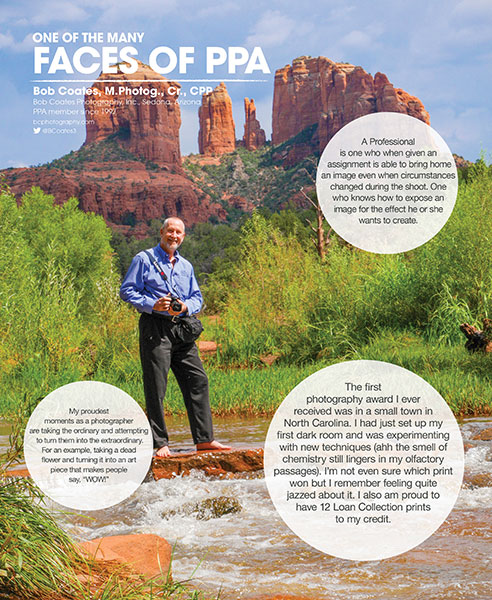 From the ‘Faces of PPA’ campaign. Here’s a link to a larger version on Facebook.
If you are a member of PPA why not get your image and comments in to the Faces campaign???
Yours in Photography, Bob
by successfulbob | art books, photography, photography - art quote, photography books, photography education, success education
Always looking for inspiration outside of photography to help with the creative side… And today let’s take a walk far, far away from the photographer’s world and into getting the brain to fire on all cylinders for some creativity.
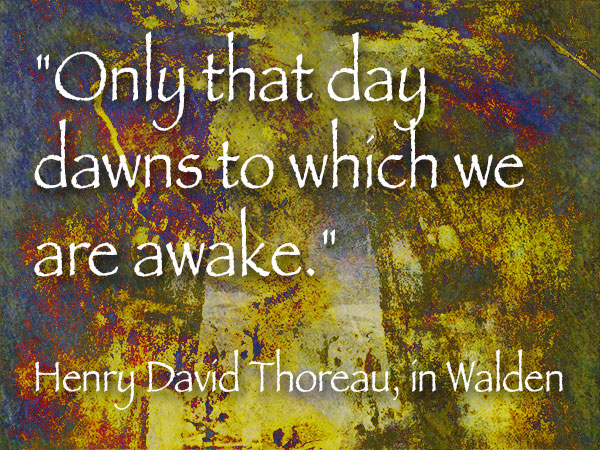 “Only that day dawns to which we are awake.” Henry David Thoreau, in Walden
Have you ever driven somewhere and wondered how you got there??
Do you enjoy the cascade of water flowing over you during your shower? Do you even feel it?
What was the last really good meal you had? Were you actually there for it and can remember it? In detail?
Do you really look at yourself in the mirror or are you so busy doing whatever it is you are doing you don’t really see?
“What the hell does this have to do with creativity Bob??” You ask.
Here what I believe. We are so busy living in the past or the future that there is no way to truly harness our brains for as much creativity as possible. By that I mean we spend way too much time fretting over something in the past like an angry conversation that keeps playing over and over in our head. Or, we are constantly worried about the possibility of something that might go wrong in the future. Or, trying so hard to get to that ‘successful’ place that will make us finally make us happy – you know, having more money, or being able to travel to that magical destination, or finding a new partner… Pick that thing that’s always in the future that we KNOW will make us happy, rather than being happy now.
If we enjoy THIS moment – RIGHT NOW – and live in this moment as much as possible we open up our brains to concentrate on what we are working on with no distractions from the past or future will allow us to be open to new ideas and creative combinations.
The job of the brain is to create thoughts. LOTS of thoughts. Many of these thoughts can take us away from where we might want to be at any one moment. It is also responsible for doing many things automatically to keep us alive like breathing, our heart beating, muscles moving so we can walk and move. The problem comes when we are so busy allowing our brain to do so many things automatically we don’t control our thoughts and allow our them to control us our life can pass by in a flurry and we have not had a chance to enjoy it – or be as creative as we might be.
How do you gain back control? Meditation is a great way to find out how the brain is working to our detriment. “Wait a minute Bob, I’m not going to sit in a corner looking at my navel!” I don’t suggest that by any means. What I do suggest is learning how to “be in the moment”. Learn a practice called Mindfulness.
I’m still workng on it myself but finding it to be extremely helpful and this is a great place to start. A book called Whereever You Go There you Are, – by Jon Kabat-Zinn Give it read. (I’ve given you a link to the Kindle version as the hard copy is currently out of stock) Try some of his suggestions and let me know how it’s been a help to you. It’s under ten bucks and a little bit of your time. I think you will be extremely surprised… in your everyday life as well as your creative life.
Your in Photography, Bob
by successfulbob | architectural photography, photography
Symmetry.
I like it. .ti ekil I (can you tell I’ve had a couple IPA’s already?)
The capitol building in Austin, Texas was the subject of a quick photo shoot while in town to give a program at Precision Camera. I enjoyed the look of this hallway. The light and their reflections on the floor bisect the hall almost perfectly.
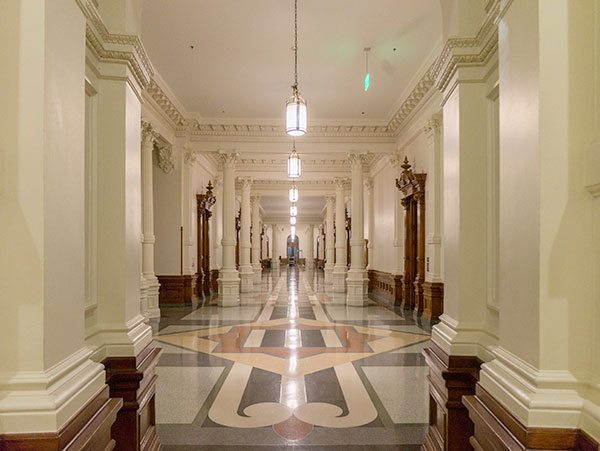 It’s not quite a perfect mirror image… but that’s what makes studying this image interesting.
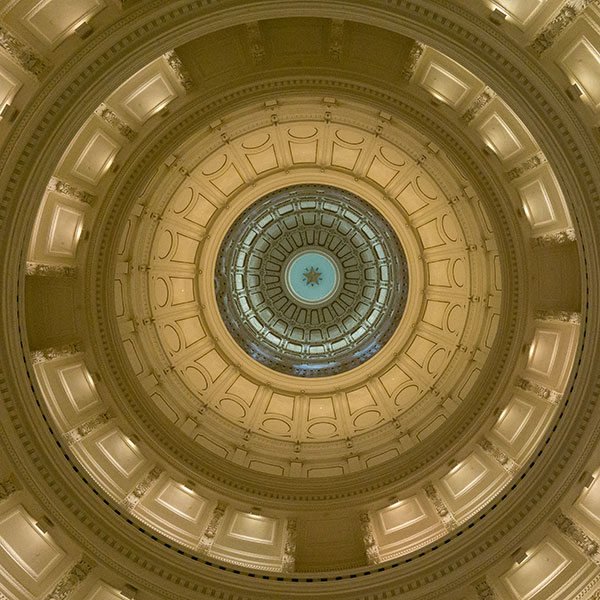 The capitol dome in Austin, Texas from the inside.
I was laying on the floor on my back shooting up at the dome. Wish I had taken just a bit more time to get perfectly centered to show the symmetry in all its perfection. This is an amazing, and fascinating, construction. At the very top you’ll find the star of Texas with the letters of the state in between the points of the star.
Always take time to practice different skills, ideas and techniques so that when the time comes to create a certain look in any situation you’ll already have an idea of the possible pitfalls.
Yours in Photography, Bob
by successfulbob | architectural photography, Lumix GX7, Lumix Lounge, photography, photography education, photoshop tutorial
Speaking of Austin, Texas…
Wandered around downtown for a bit. Spent a little time in and around the capitol building. Lots of stunningly beautiful architectural detail. Could probably spend a day or two photographing and still want to come back for more, but I share a couple I was able to snag while there…
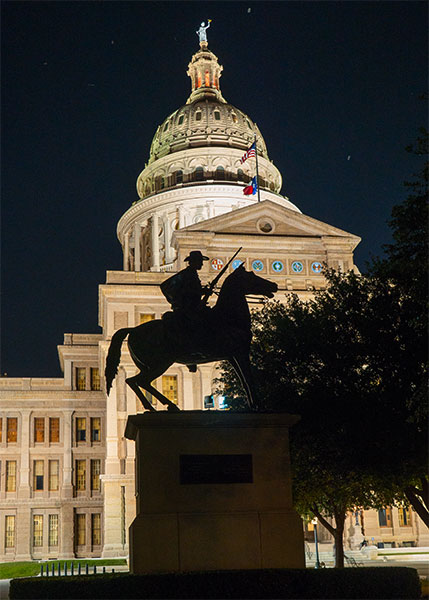 Silhouette of the salute to the Terry Rangers. There’s a couple quotes attached of which here’s one, “There’s no danger of surprise when the Rangers are between us and the enemy.”
I think the silhouette of the statue in front of the capitol dome tells more of the story of the place and has more depth than a straight shot of the dome. No my camera sensor is not dirty… Lights attract bugs. Bugs attract bats which is what you see in the sky above the dome.
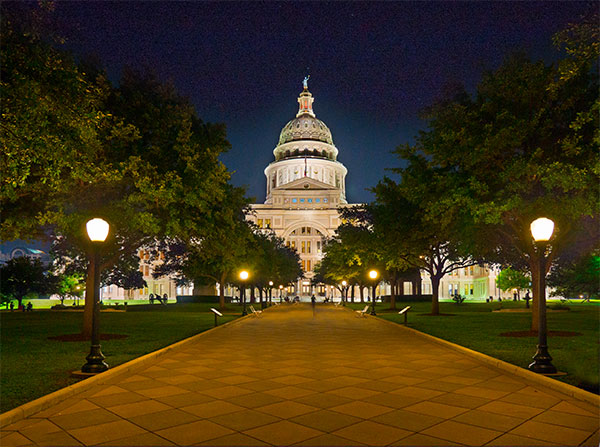 Texas State capitol building and entry walk in Austin.
The wide view of the capitol building was made combining two exposures out of a 5 exposure sequence made with the Panasonic Lumix GX7. Each image was processed in Adobe Camera RAW (ACR) using the highlight and shadow sliders along with exposure and saturation. Even though the two images were made within milliseconds of each other when I placed one on top of the other there was a tiny registration problem. This can happen even when you have the camera mounted on the tripod so I use the technique below whenever I stack images for blending. Photoshop to the rescue!
Here’s how.
Turn the bottom layer from background layer into Layer Zero. Highlight both layers in the Layers Palette. Under the Edit menu select – Auto Align Layers. Make sure Auto Align is selected in the projection. I leave Vingette Removal and Geometric Distortion unchecked. Depending on the image and lens used you might want to remove Vingette. Click OK. In seconds the layers are perfectly aligned.
Next a mask is added to the top layer and painting with a brush and black chosen as the color allow any parts ot the image below to show through until the blending is to your satisfaction. You might want to save out the file at this point and continue any additional work on a copy of the file. If there was an error made in the masking the mask will still be available for adjustments instead of starting over from scratch.
Tomorrow we’ll go inside the capitol building for a couple photos….
Yours in Photography, Bob