It’s a new learning platform put together by photographer Trey Ratcliff of Stuck in Customs fame and a few others. You apply to be an apprentice in the Arcanum and a Master will ask you to join his or her group called a Cohort. You have challenges to meet and along with the rest of the group’s support and feedback you increase your photography skills at your own pace. You can find out more by clicking on the link.
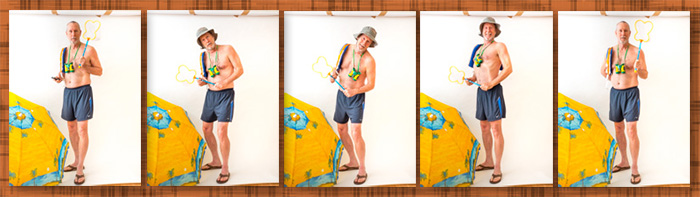
And now to the rest of the story for today. As a side event within the Arcanum a team of masters and a team of apprentices are facing off in a Survivor type environment of photography challenges and teamwork. Images are scored each for each challenge and the highest scoring team gains immunity and the losing team sends a member home. It’s a fun little exercise and is pushing people to be creative. We were given the challenge to create an image based on a swimsuit. Being at a loss to find a model I created something quite different from the expected with a self portrait.
Here are the comments of the judge, Luke Ballard…
Video of my critique by Luke (BTW highest score is three)
As my wife said, “It pays to not take yourself too seriously!” She got quite a laugh out of this when she discovered me putting this together in my studio. She even had a hand in helping with the styling as she remembered a hat I bought on vacation in Cedar Key, Florida. Here are some of the outtakes from putting this together.
I used the Lumix GH4 and the 35-100mm f2.8 lens with a single Paul C Buff flash head bounced off the wall camera left. I used the Wifi connected to my IPhone to see what the camera was seeing and operated the camera remotely. Then, since my wife was there laughing, I put her to work triggering the shutter with the phone so I wouldn’t have to remove the phone in post production.
There are times when not having a camera can make you crazy.
Thanks to the camera I call the “Pro’s Point & Shoot” this was not one of those times.
I try not to carry a lot of photo gear with me when my wife & I are together. But as we headed out for dinner last night even she went “OMG! That’s beautiful!!” and didn’t mind watching the sunset blaze into more and deeper colors while I stopped to grab some photos of the heavenly display here in my hometown of Sedona, Arizona.
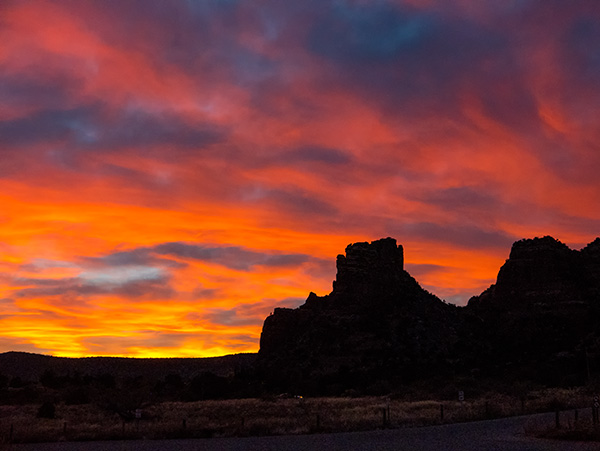
Sunset in the Village of Oak Creek with Castle Rock in silhouette.
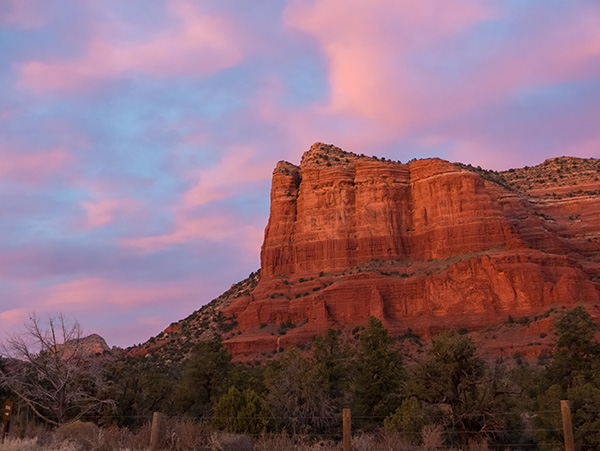
Don’t forget to turn your head around when shooting spectacular sunsets as this was happening at the same time in another direction!
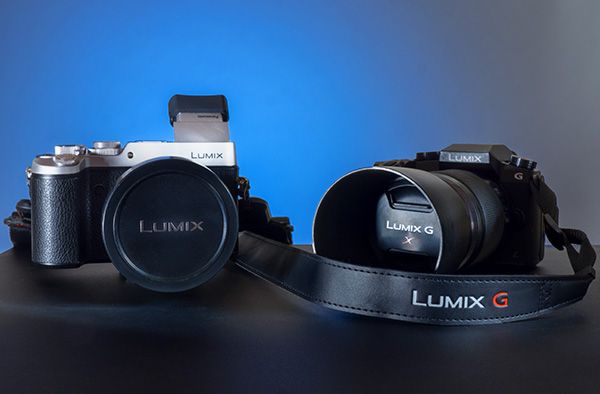
Oh, the “Pro’s Point & Shoot” I was referring to is the Lumix LX100. A solid magnesium body with an f1.7-2.8 DC Vario Summilux lens with a 25-75mm range zoom. I’ve had great success with this 12MP camera that ‘almost’ fits in your pocket.
Had another Tech Talk Show with Mike Tabback on KAZM Radio here in Sedona. We talked about the newest capabilities of the the Panasonic Lumix cameras to choose the focus of an image after you have made the exposure. (previous post here) In addition to choosing your Depth of Field after the fact you can create more Depth of Field using Adobe Photoshop to Layer Stack for hyper-focus.
The Post focus feature is available on the Lumix cameras – GX8, G7 and FZ300 (not pictured) cameras.
I know I’ll sometimes be surprised at what has appeared within the frame of my images knowing that I didn’t see it when making the capture. Occasionally it’s a happy accident but more often than not the element is one I would have left out by repositioning my subject or changing the view within by introducing a different angle.
“So what’s your point Bob?”
The point is we will often create better images when we pare down our compositions making sure that there are no competing elements to distract from the story we are trying to tell. Over the years I’ve had many conversations with my commercial hotel property clients about not trying to show everything in the rooms but to ficus on details that could tell the story with just a glance. That’s why I choose today’s quote from jazz artist Dizzy Gillespie. I continually find parallels as I look across different art modes such as painting, music and writing.
“You spend a lifetime playing music to learn what not to play,” Dizzy Gillespie
What can you leave out from your next image to make it more powerful? I’ll be thinking on that too…
The photography world is changing around you as I write this post! At least it feels that way as new cameras and features are introduced in short order. I’ve never been on the front edge of technology before and it’s fun trying to figure uses for features as they come out. A lot of the new capabilities is driven by possibilities not available before 4K mirrorless cameras came on the scene.
This is a very interesting new feature called Post Focus.
This is for stable non-moving subjects where you might not be sure of the focus point you want and would like to have options to choose later for a totally different look and feel to a subject of a scene.
Here’s how it works. The camera makes a quick video of a scene while moving the focus point throughout the frame. Because the camera is automatically set for Photo Mode each still frame can be extracted from the video as an eight MP file. At the end of processing after a few seconds you can see the individual frames on the back of the camera and choose any that you would like to save out as individual jpeg photos.
Want to be able to choose later? Not a problem. Download the video file and take it in an editing program like Adobe Premiere, Final Cut Pro, or Lightroom. There you can step through each frame and choose at your leisure on a large screen and save out your file.
I decided to see if I could use the system to help with the capture of Macro images and the process of focus stacking to get deep detail in an image.
And guess what ?? It works!
I Imported the MP4 file into Adobe Premiere and used the right arrow to move through each individual frame. Selected the ones I wanted to work with and pushed the save as an image (camera icon) and saved the images out as a TIFF. Then it’s off to Adobe Bridge.
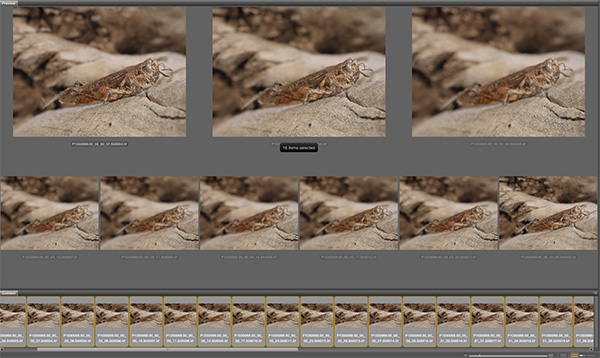
Screen capture of Bridge selections with all 28 files selected with the still captures pulled from the video.
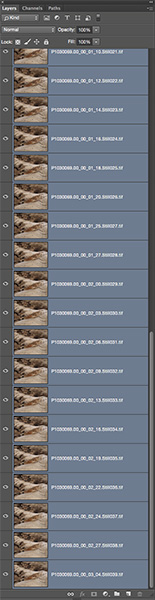
With files selected the next move is Tools > Photoshop > Load Images into Layers
Layers Palette with all layers selected in preparation for Photoshop magic.
Once all layers are selected they need to be put in registration because a change in focus changes the size of the image. Menu Edit > Auto-Align Layers.
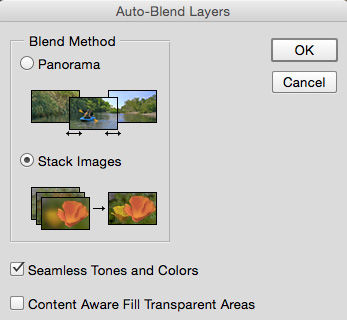
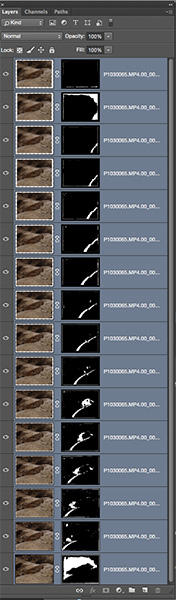
Once layers are aligned Menu Edit > Auto-Blend Layers with the Stack Images and Seemless Tones and Colors checked. Depending on the number and size of your files the the RAM horsepower of your computer this could take a little while but it’s doing all the work you see below masking in all the sharp portions of the images.
Palette window with proper selections for picking and masking in all the sharp bits it can find in the images. Making all of these masks would be super time intensive. Sometimes the individual masks may need a little tweaking if you didn’t get enough detail or colors and tones are very close.
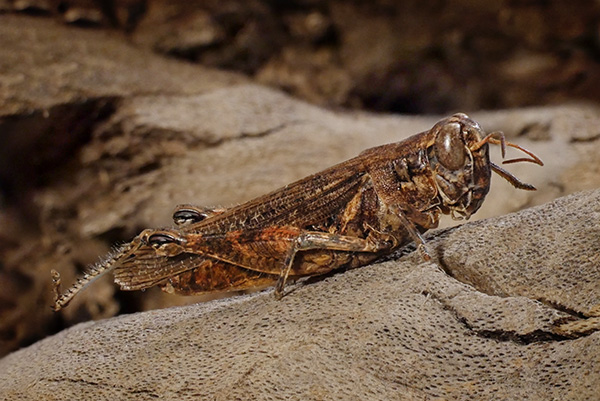
Grasshopper with detail and depth of field exactly where I want it.
The image was captured with the Lumix GX8 and the 45mm f2.8 Macro lens set at f9 in Post Focus Mode. “Why f9 and not f22 and be done with it Bob?” When photographing close-up Macro subjects the DOF is very shallow even at f22. In addition as the aperture gets smaller diffraction is introduced starting to blur details. (learn more about diffraction and check out your camera lens combo to find the sweet spot here)
Yours in Creative Photography, Bob
PS – No grasshoppers were harmed in the making of this tutorial. The grasshopper was already mummified when I found it on my porch.
For infrared conversion of my cameras I use LifePixel. Infrared allows you to put an older camera to use and opens up a new time time of day for productive image creation.
Learn Photoshop in a fun environment. Aaron Nace applies the right amount of fun with easy to understand and follow tutorials. Actions and brushes are included with lessons!
Best embroidery ever. Give Queensboro a try, get a $20 instant credit to get started by clicking on the logo! They specialize in great quality custom logo apparel and promotional products with the best customer service.
Platypod has become a great resource for being creative in getting your camera gear easily into unusual places. As an Platypod Pro I get to work/play with the gear even before it comes out. Head over to Platypod, subscribe to the newsletter and you will get special discounts reserved only for subscribers.