by successfulbob | photography software, success education
When prepping images from an event or wedding it used to take me quite a while to give a quick once-over to the images in order to make a proof gallery. Take the images that were shot in the same situation. Make some corrections get the color set and apply it to all the images from that portion of the shoot. Gather next set of images and repeat. It was pretty amazing how much time that ate up even though single adjustments were being made to multiple images it was still pretty hands on…
Now I’m using Perfectly Clear. I must admit I have had access to this software for quite a while but it takes a while for this old dog to jump on new tricks! Wish it wasn’t so. I had played with the software using it on an image here and there but i wish I had been a bit more diligent! Once I realized that you could batch process files while making up to 12 corrections in an image without touching them i started kicking myself for not utilizing the power of this software earlier.
Here’s a strip of a couple images from a batch process that includes three different scenes and would have needed me to touch multiple sliders in Adobe Camera RAW three different times, and that’s just part of the wedding…
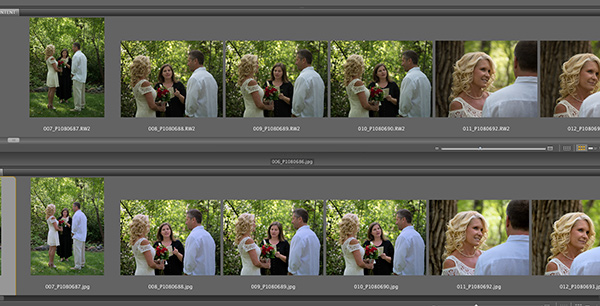
Thumbnail view of two bridge windows of the same images. Top row – unprocessed RAW files. Bottom row – Images after running an action using Perfectly Clear Software. Cleaned up exposures. Smoothed skin tones. Neutralized white balance. Opened up shadows and more.
For today and tomorrow you can pick up this time-saver at 50% off. Sunday night and the price goes back up but after that you can still get it by using code COATES. Cool part is you can get the software right away, try it out for a month and if you don’t think it works for you get your money back. Take the time to save some time. Check it out. If you have any questions give me a shout.
Yours in Photography, Bob
by successfulbob | photography, photography education, photography gear, photography software
“It’s not a question of IF you are going to have a hard drive fail, it’s a question of WHEN you will have a hard drive fail!” That quote is from a computer geek friend. The question is,
“ARE YOU READY??”
Obviously we need to back up our images but many photographers don’t have a great system in place. Ideally you would have a proper RAID system that is also backed up to a secondary location and everything is done automatically. But, we are talking some big bucks and high tech stuff there so I’m going to share the way I take care of my stuff. It’s a little more work but it is a plan.
There are four hard drives in my computer. One is for the Operating System and programs only. I try not to save many images or files to this main drive as it gives the best performance in allowing your main drive to also operate as the main space for your calculations to occur. Mine is called MACINTOSH HD. The other three drives are for the main data I need to store and labeled as such. WEDDINGS – COMMERCIAL – ART FILES. Each of these drives is cloned to another drive of the same name MACINTOSH HD – WEDDINGS BACKUP – COMMERCIAL BACKUP – ART FILES BACKUP.
Please note I did not say copied, I said cloned. This is important especially for the main OS drive. When you copy you have the data but you don’t have the ability to Boot up your computer. With a cloned drive you have a complete drive ready to start up your computer. Why is this important? (yeah I said it again it really is important!) If your main drive goes down and you need to recreate it you need to load in an OS, load ALL of your programs and reset ALL of your preferences and setting to do with the computer. It often takes a day or two to get things loaded then another week to really get all your settings back in place. If you had cloned your drive – you take the clone – Boot up your computer and clone that information into the drive that needed to be replaced and you are back to work full speed in about an hour or less.
OK Bob how do you do it??
Here’s the skinny. I work with a unit called Voyager from Newer Technology that sells for about $79 that allows me to work with hard drives that are not in enclosures. This makes for a less expensive back up solution because you are not paying for the enclosures and fans and various electronics each time you buy a hard drive. When I went to this link it was only $37! Way cool you need two anyway ultimately.
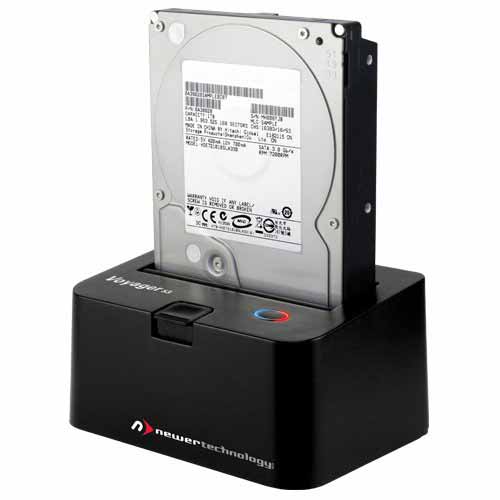
Newer Technology Voyager with inserted Hard Drive. You just pop different drives in and out to clone each one.
I’m on a MAC so I can only attest to the software I use called Carbon Copy Cloner. I available for $39.95 and will be the best bucks you spend on, as they say, “Saving your Bacon!” With Carbon Copy Cloner, your data and the operating system’s data are all preserved on a bootable volume, ready for production at a moment’s notice. When disaster strikes, simply boot from your backup and get back to using your Mac. At your convenience, replace the failed hard drive and then let CCC restore the OS, your data and your settings directly from the backup in one easy step. This is a great way to protect you when you are upgrading to a new OS also because you will still have a copy of your old setup until you know that all is working well until you clone the new system over it.
For PC users just click to search ‘pc clone software‘ and you’ll learn which software will work for you.
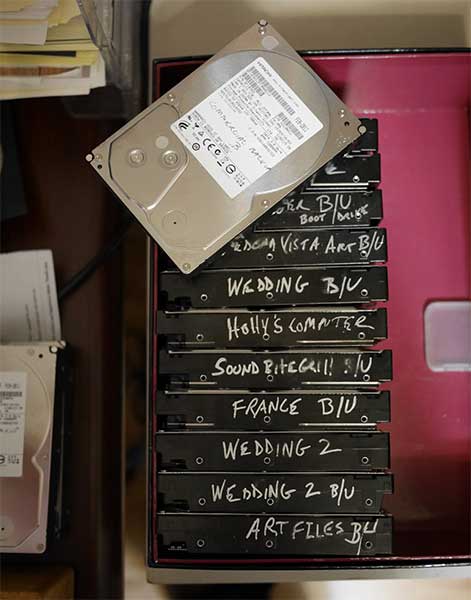
Hard drives from my back up system.
You notice there are more than four drives in my back up pile. That’s because in addition to the base drives housed in my computer tower I also have some drives for specific subject matter or specific clients who require a lot of storage. That’s why you need the second Voyager so you can clone from drive to drive.
Not a pretty system but a useful one. It doesn’t matter if you embrace this system but, run don’t walk, to get some sort of back up system in play before you end up shelling out a bunch of bucks to try and recover your data someday.
Yours, in Photography, Bob
by successfulbob | marketing, photography education, success education
You need to stay in front of the people in your community. One of the ways to keep out there is by sending out press releases. You know I’m a fan of this piece of the marketing puzzle and I want to make you one also. Here’s another article that appeared in Sedona’s local entertainment newspaper/magazine to show you that it works…
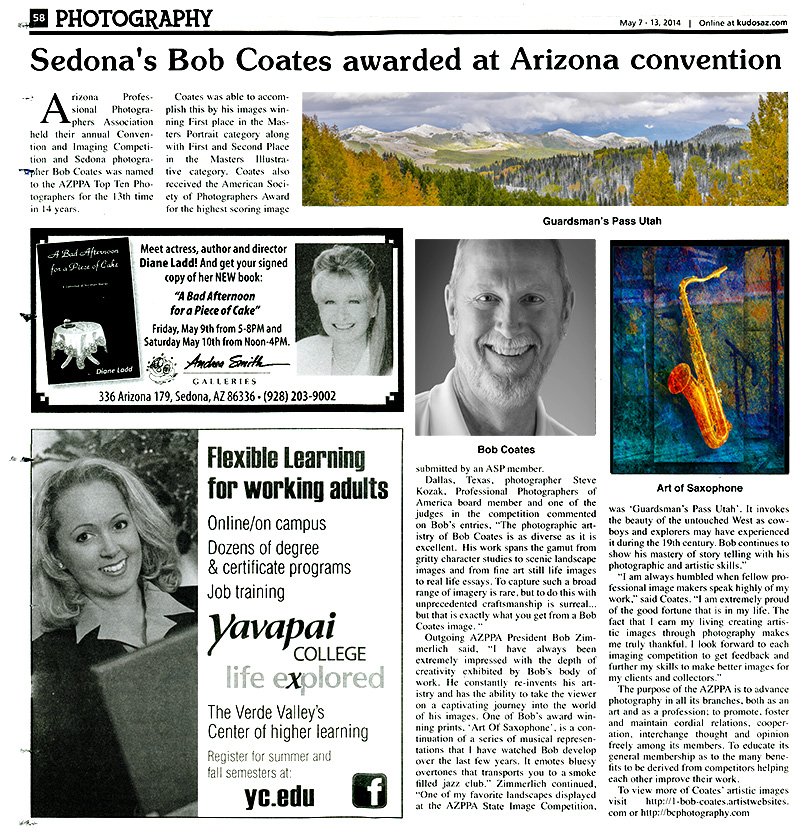 Kudos article on Bob Coates Photography & AZPPA Convention Competition Results
This particular article is about some success in imaging competition. I am a huge fan of entering competition at the local, state, region and National levels especially when you have access to viewing the competitions and getting critiques of your work. It pushes you to take your work to the next level. And that’s a huge benefit for you and your clients. Learn more about image competition at PPA.
When we pursue this press release avenue it is a win/win/win situation. It’s a win for the newspaper or magazine because they get well written content that doesn’t cost them a lot of time or money to use. It’s a win for your community because they get to learn about you and your skills. And, it’s a win for you because you are kept front of mind in your community in a positive way that you really can’t pay for… Learn more about writing and sending press releases by checking in here.
If you need some help with your marketing give me a call. Coaching rates are very reasonable. The first hour is no charge if you don’t think I’ve been a help to you… then you don’t pay – No hard feelings.
Yours in Photography, Bob
by successfulbob | photography software
Been looking to save some time in editing? Here’s a chance to try a software that makes up to twelve adjustments on your images automatically. It’s called Perfectly Clear from Athentech Imaging. Here’s the scoop… It’s a Mother’s day Sale…
 You can download Perfectly Clear and try it out right away. It will give you access for 30 days no strings attached. Although here’s a real bonus if you try it out and purchase it during this Mother’s Day sale between this
 Friday May 9th NOW and Sunday May 11th at midnight you get it for half price! It’s on sale for 50% off. And, there’s still a 30 day money back guarantee.
The link I give you leads to a place to enter Coates for your discount. Go ahead and download the trial.
Here are a few samples… Up to 12 different adjustments to each image with a single click or two.
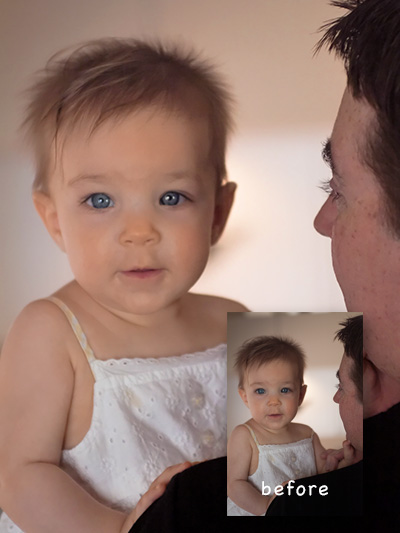 Portrait setting used in Perfectly Clear
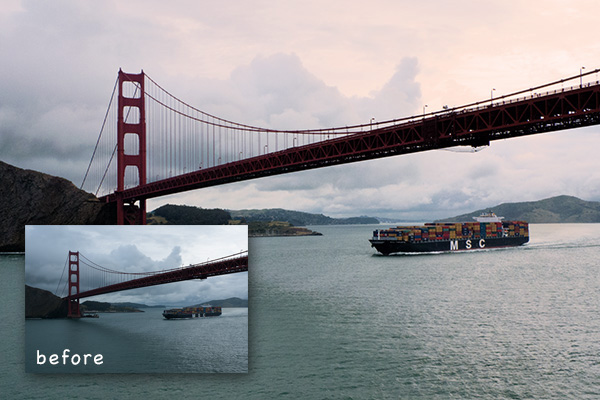 Used the Landscape preset.
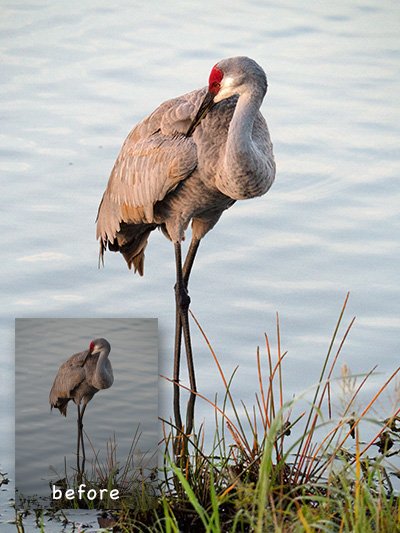 The Default setting. Fixed underexposure and highlighted color and contrast.
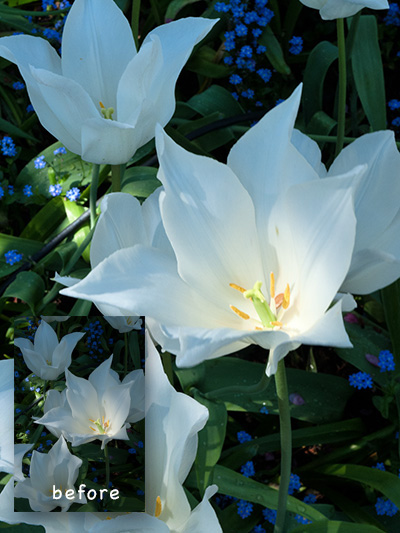 Default setting adding a vivid adjustment. It opened up the shadows and added some punch quickly.
by successfulbob | landscape photography, Lumix GX7, Lumix Lounge, photography, photography education
Mirrors are funny critters… They will lie to you as you look at them thinking, “Wow, I look good!” Whoops! wrong blog post. Back to our regularly scheduled conversation…
The focus point in a mirror is on a totally different plane than the frame that contains it. Been caught by the, photographed the bride in the mirror and found either the subject you wanted to have in focus in the glass or the surrounding area surprisingly out of focus?
Here a possible work-around when you would like to have everything in focus but don’t have time to get on a tripod with a really small aperture. And even if you had time to do that you still might not have enough DOF to make it work. This is an extreme example with several focus points in play. The background which has the sign telling us where we are. The side view mirror on the car. The side view mirror. And the convex utility mirror for helping to keep the driver out of accidents. All are important to telling the story I want to share so I made an exposure for each of those individual surfaces then blended them together in Adobe Photoshop. Here’s the result…
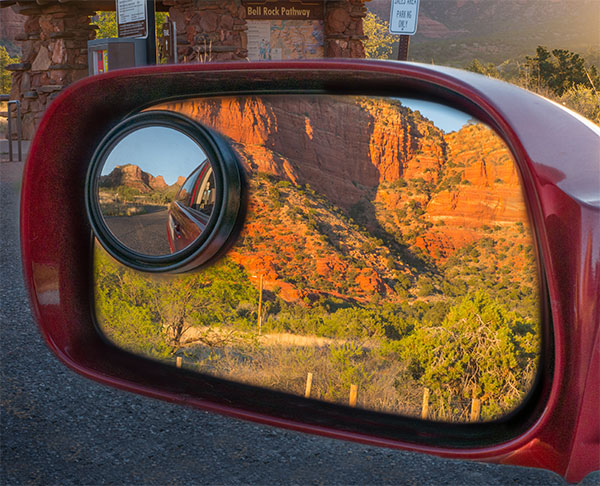 The assembled photo with all the pertinent information in focus. Bell Rock Vista in Sedona, Arizona.
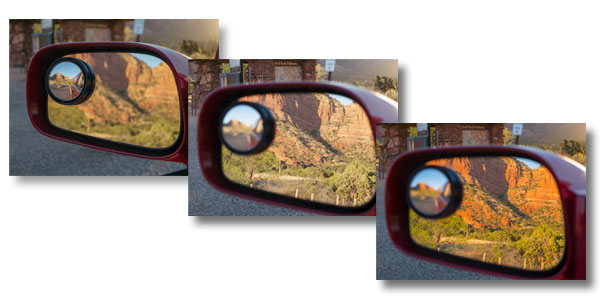 Here are the raw captures before assembly.
Photographed with the Lumix GX7 and the 35-100 f2.8 Vario Lens while focusing through the range of the scene.
Now how about that bride shot with mom reflected in the mirror and crying???
If you have any questions don’t hesitate to give me a shout or comment on this post.
Yours in Photography, Bob