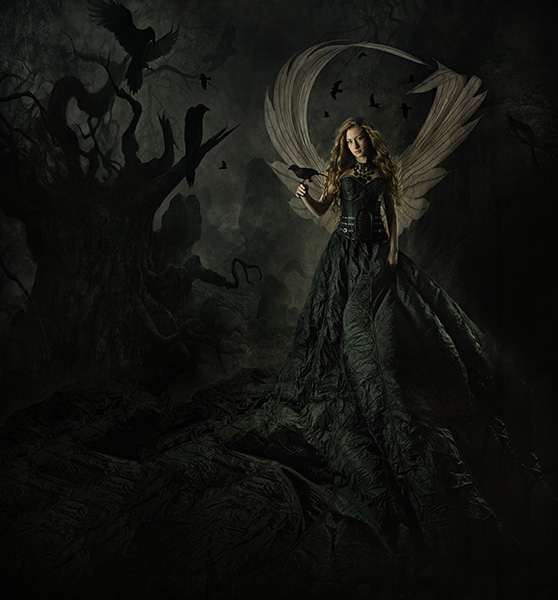
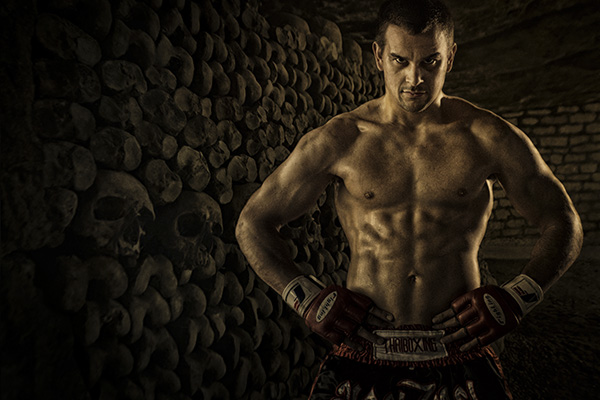
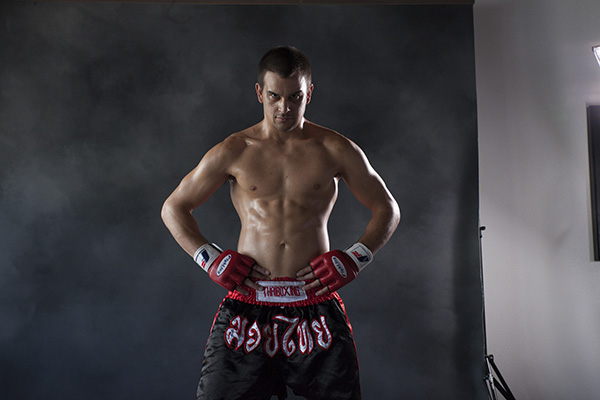
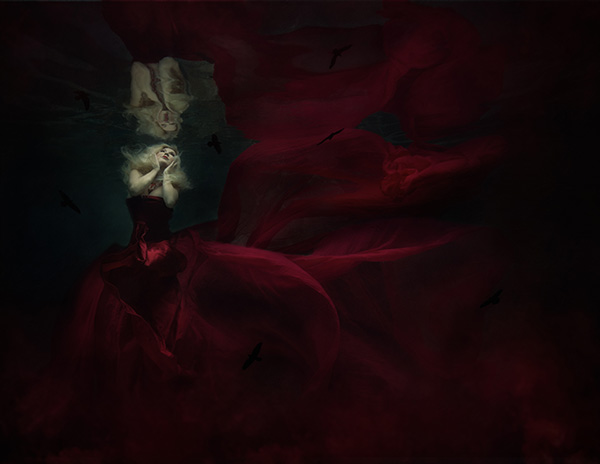
Dan’s work is a mix of in-camera artistry using artificial lighting and photorealistic compositing, often with a fun and vibrant feel. He’s only been a shooter since the digital age, so progressive lighting and digital manipulation have always been a part of his work. Dan’s business is split between his portrait studio and commercial work, and you can see the influence of commercial lighting and sheen in his portrait work.
“My inspiration is generally gleaned from my clients, so my concepts are a collaboration between me and them within the parameters set by their needs. My challenge is to see how technically interesting and creative I can get within those parameters. Beyond client work, I try to challenge myself a couple times per year to create something I have no idea how to pull off just to make myself learn how to do it. Our Christmas cards and my annual schedule poster for the Iowa State Cyclone basketball team are examples of this. Aside from being great learning experiences, these personal challenges generally reciprocate in the form of successful competition prints and great exposure for my brand. For example, the image above of the family having a food fight was commissioned by a mom that saw our crazy/fun Christmas cards and wanted something like that for her family. I’ll take it!
Commercial photography created by McClanahan Studio in Ames, IA. Des Moines photographers specializing in modern, creative imagery for marketing and advertising campaigns. Dan and Alex McClanahan create promotional photography throughout Iowa and all over the midwest.
“I’m not adept at drawing or painting like many of my peers, so when I composite I tend to photograph my components with precise lighting to match the scene so that the layers come together naturally and don’t require much blending in photoshop. I tend to use shapely lighting setups that retain the full dynamic range of the subject while sculpting expressions and textures to look 3-dimensional in a way that is coherent to the scene. Rim lights and fill lights are often used in addition to a key light to create this look. Remember, it’s easy to add contrast in post-production, but it’s tough to fix a photo with blocked up blacks or blown out highlights.”
Dan McClanahan became a photographer in 2009 with the goal of creating a fresh alternative to traditional photography in his market. His quest was so successful that his work quickly made waves in the photo industry with multiple Grand Imaging Awards from Professional Photographers of America (PPA), Wedding and Portrait Photographers International (WPPI) awards, magazine features and becoming one of the youngest photographers on record to receive all three photography degrees bestowed by PPA. Dan has given back to the photography community as an educator, teaching numerous times at Imaging USA, SYNC, After Dark Education, PhotoVision and other events.
He owns and operates McClanahan Studio with his best friend and beautiful wife, Alex. He splits his time between advertising photography and high school senior photography. The couple live and work with their daughter in a twelve thousand square foot historic building they renovated and share with nine tenants.
Outside work Dan is a small town Iowa introvert that loves Jesus, his family, punk rock drumming and strong coffee.
While I was in Florida for the Lumix Luminary summit on the GH5 I had scheduled a couple of extra days in Florida to photograph wildlife and nature scenes.
Thanks to fellow PPA member Rob Bird I was able to get to some cool areas with great subject matter. One of the benefits of being a PPA member is that you have photographer contacts who know the lay of the land all around the country. We got up and going for what I call dawn patrol to capture the city of Tampa at sunrise. I decided I’d work a couple of cameras with my Lumix GX8 capturing a time lapse of the whole sunrise while I used the Lumix GX85 for stills.
Tampa sunrise set to the music of Eric Miller – ericmiller-worldmusic.com The video was put together using ScreenFlow a screen capture program that has some pretty powerful video processing features.
The time lapse features of the Lumix cameras are pretty amazing. You don’t have to add an intervalometer because it is built-in. You can select your timing between image capture, the number of frames, start and stop times in an easy to use interface. But, here’s the incredible part. You can process the finished time lapse in the camera. Choices for how many frames per second and quality level is chosen. In this case, I prepared the files to a 4K .mov video. 4K allows me to move around within the image in post-production when using a smaller timeline.
The light was fantastic. Scenery amazing. Time? Very short!
I was on my way to a photo shoot in the evening and saw the moon just starting to peek above the horizon as the light from the fading sun had already dropped below in the west. I grabbed the Lumix GX85 and the 7-14mm f4 lens to see what I might capture in the few minutes I had available. I don’t usually like to rush when a situation like this appears, but duty and a deadline called.
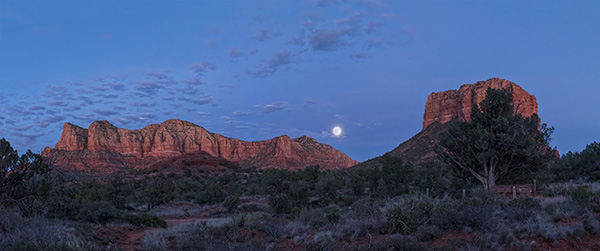
This was the first quick image to make sure I had something in the can.
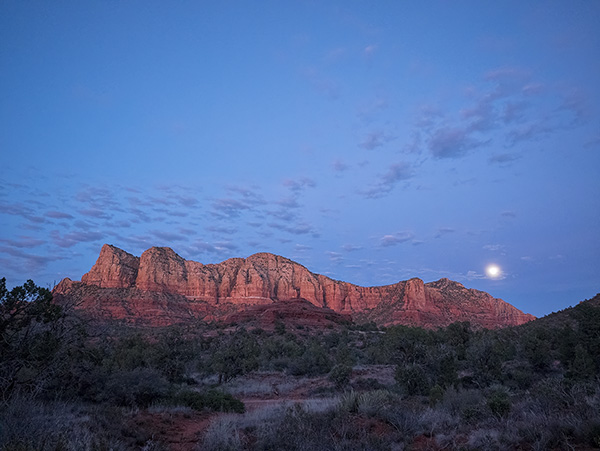
I first quickly grabbed an overall scene-setting image. Then I tried a couple quick grab shots. I ran down the parking lot to get a better overall view. Having the wide angle lens gave me a lot of the scene but I knew I would need more to be happy.
Nine image panorama capture for further work in post. Note the images have already been adjusted a bit in Adobe Camera RAW
I set up and shot a nine image panorama with the camera in the vertical orientation to gather as much info as possible. Already the light was starting to fade and my job was calling.
Image output after using Photomerge in Photoshop.
I allowed the Adobe Photomerge tool to do a lot of the heavy lifting for me. I highlighted the images in Adobe Bridge selected Photomerge from the Tools drop-down menu Tools>Photoshop>Photomerge… Layout was set to Auto. The following text boxes were checked. Blend Images Together for obvious reasons. Vignette removal. This was checked because the lens had a bit of vignette and would have made for messy skies. A reason for not checking the vignette box would be if you had files that had no vignette because the files could process faster. Geometric Distortion Correction. You can try working without this but I have found in a scene like this the red rocks would have curved. Content Aware Fill Transparent Areas. When a handheld pano is made like this there is often areas that don’t completely fill the rectangle of the final image. Photoshop will look around and use it’s best guess to fill the areas. You can check on them quickly as it will also leave a selection around the areas it filled in case you need to make some adjustments. In this particular case, it did a great job. All setings are available for you to play with if you don’t get the exact results for which you are looking.
Post-production is a huge help in these instances to obtain quality images.
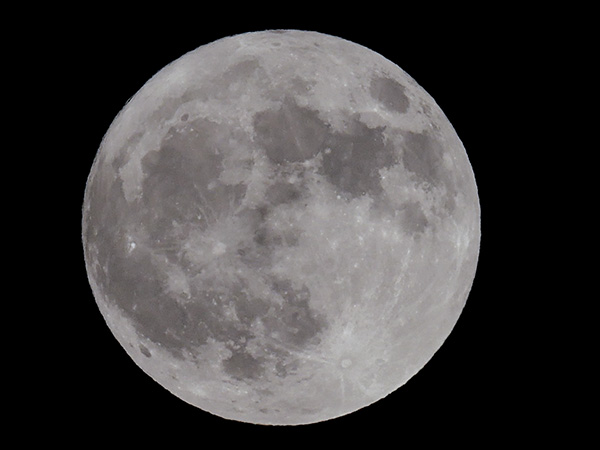
I pulled a full moon from my files as the moon area was blown out. Another case of the eye being better than the camera. If I had more time I would have bracketed exposures to get the detail I needed.
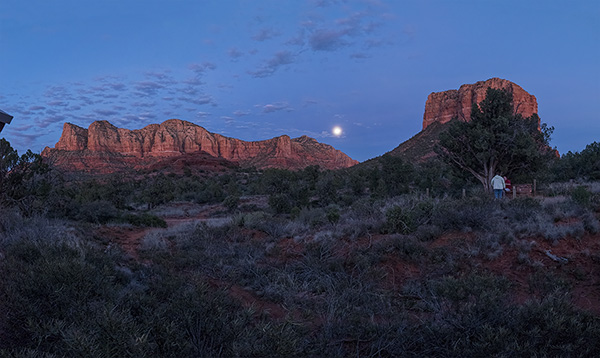
Here’s the final. The moon has detail. The image was cropped to bring attention where I wanted it and
a little judicious Cloning was used to remove the couple under the tree.
If you have any questions or comments give me a shout!
Live Entertainment Photography – Anthony Mazzella Black & White
Many times if I want to check that I have a good solid image capture I convert to black and white to see how the tones do without the distraction of color. The fact that I produce advertising and marketing images for Sound Bites Grill makes me check that even more often as many of the images I create will end up in a newspaper in black and white.
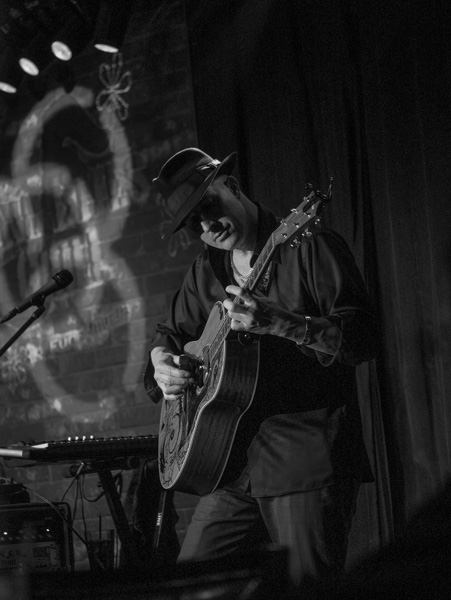
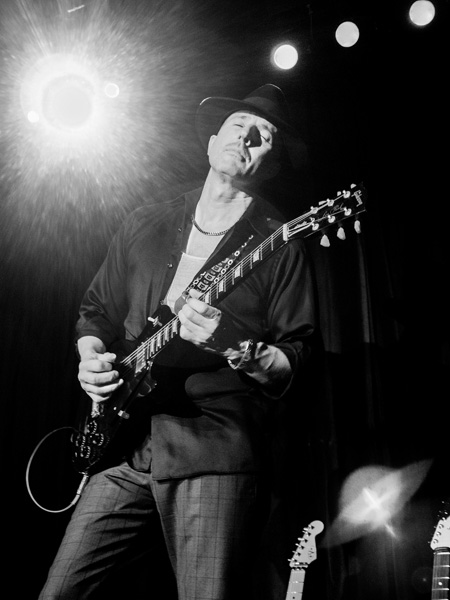
I recently photographed the Legends of Guitar show at Sound Bites featuring Anthony. You can check the color images in my previous post. Here are the black and white versions.
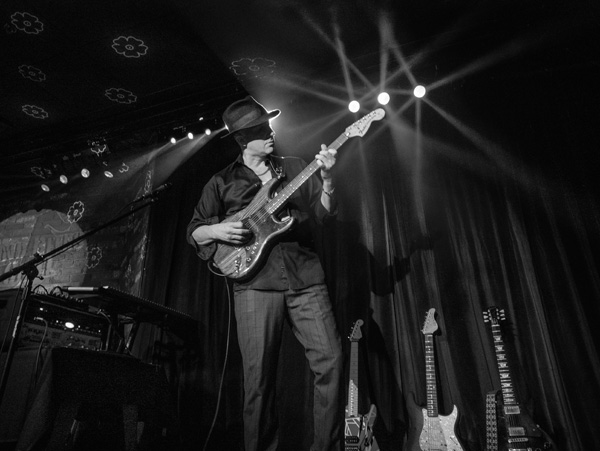
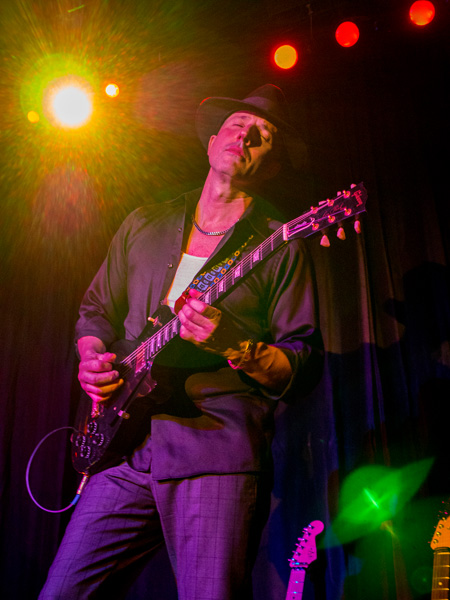
This image still carries the blues feeling. I remember working hard to get Anthony in a spot where there was a separation light on his hat.
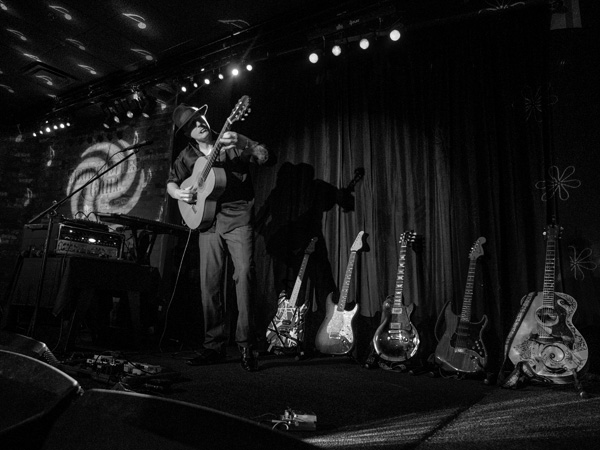
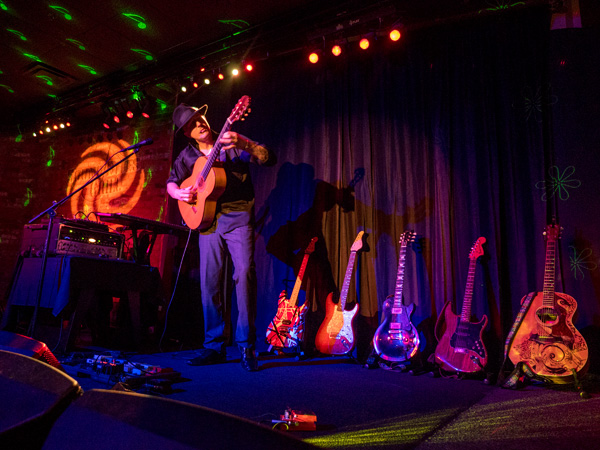
Shows the full line of instruments telling the story of the show.
A little smoke machine action gives extra depth and dimension.
Here’s one that needs the distraction of color. The hot spot of the light is too distracting in this image in black and white.
Check the color versions in the other post to get the most from this post. Images made with the Lumix GX85. The fact they removed the anti-alias filter give a better ‘grain pattern’ in my opinion. Makes for sharper images. And the five-axis image stabilization makes for better handhold ability in the low light.
I’ve seen this quote attributed to Tom although I’m certain it belongs to him as there are variations in place attributed to others. I try to research my quotes for accuracy. With that in mind if you know who the originator of this quote was, please let me know.
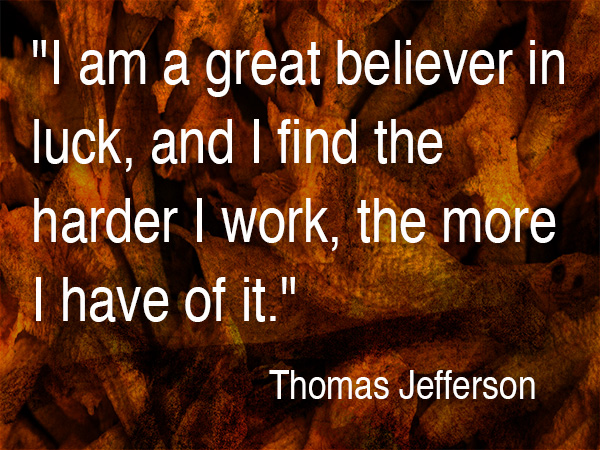
“I am a great believer in luck, and I find the harder I work, the more I have of it.” – Thomas Jefferson
You might ask, “What in the heck does this have to do with art, Bob?”
It all has to do with getting in there and doing the work. Whether you feel like doing it or not. Many times I will happen into a fortunate art situation just because I keep on trying even though things have not worked out crazy good in the past. If you see a concept, you need to keep acting on it until it comes to fruition.
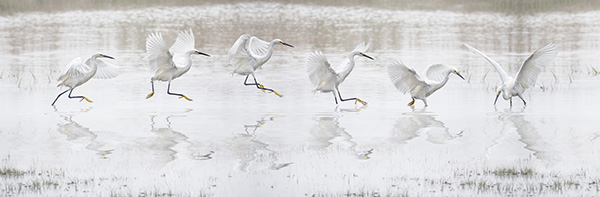
Here’s an example. I love photographing wildlife, especially birds. I enjoy the texture of their wings. Studying and anticipating their movements to capture more compelling images. The time alone searching out new behaviors. It can be very frustrating to try to come up with something original. That doesn’t stop me from going out and trying. Over and over. And over. Until that magic moment when the luck part comes into play. Because I was still there trying I was treated to this perfect moment of a Snowy Egret chasing fish.
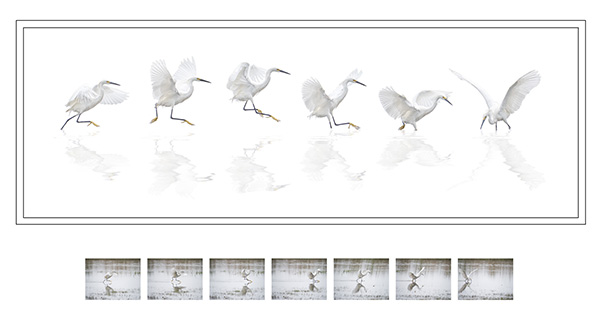
I captured approximately 200 images of the bird working the shallows in front of me. And this is the composite I thought I wanted to accomplish.
Working composite of Dance of the Snowy Egret
I had sifted through and extracted many images of the snowy egret to get this far but wasn’t happy with what was happening. It was the vision I originally had in my head while I was photographing the bird, but it just wasn’t working form, although my wife loved it. So I kept working.
So I kept working. And working.
And because I kept working on it even though I wasn’t happy I had another stroke of luck. In turning off the background to clean up my extractions of the birds, I saw the image in it’s simplest form. All attention became focused on the positions of the birds with absolutely no distractions.
PPA Loan Collection Image – Dance of the Snowy Egret by yours truly
I entered the image in the International Photographic Competition from Professional Photographers of America, and it was judged into the Loan Collection in the Master Artist category. That judging is based on twelve elements (click here for more on the twelve) including composition, technical excellence, and storytelling. Also, how the artwork was accomplished is a significant part of the criteria which is why the reference images are shown.
I feel I was lucky on two fronts in the creation of this photo. But I did work hard to get ultimately get there
But I did work hard to get ultimately get there.
Yours in Creative Photography, Bob
PS – I think one additional piece of luck was the equipment I’ve been using. Because the micro 4/3rds format is so small and light I was able to handhold a 600mm equivalent lens and track the egret comfortably for a long period of time. Heavier gear would have required a tripod and been much less mobile. Lumix GX8 with the 100-300mm f4.0-5.6 lens
I’ve been working capturing the performers at Sound Bites Grill in Sedona for about four years. I still enjoy the challenge of making images in this environment.
Anthony Mazzella on guitar – Image captured with LumixGX85
The latest entertainer to make the Wall of Fame is Anthony Mazzella. Even though Anthony is on the Wall already from a previous performance Sound Bites felt that the stage show Anthony has developed with his salute to Legends of Guitar should have its own special image.
Full stage with Anthony and his ‘babies’ all ready to play.
Playing multiple guitars in a variety of styles, along with looping music from other instruments makes this a really great show.
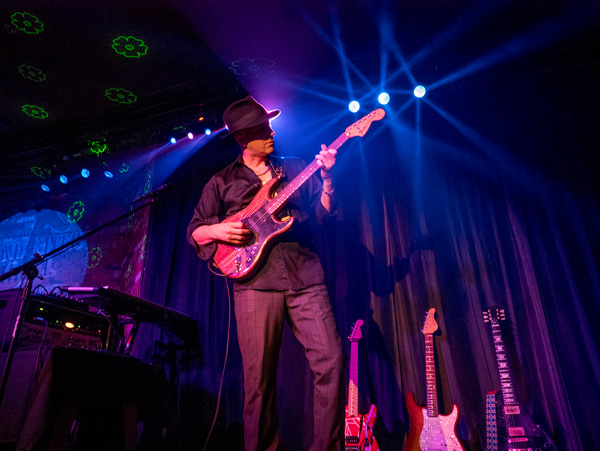
LED lighting and a smoke machine add a lot of ambiance to the stage.
I’ve been pleased how the Lumix camera gear can handle the contrast range in this difficult shooting scenario. In the earlier cameras, I had to work a lot harder to have detail in the shadows and not loose the pure color of the LED lights. Now, with new processing engines and five-axis image stabilization, I’m able to get more detail across the entire range. Can you say happy?
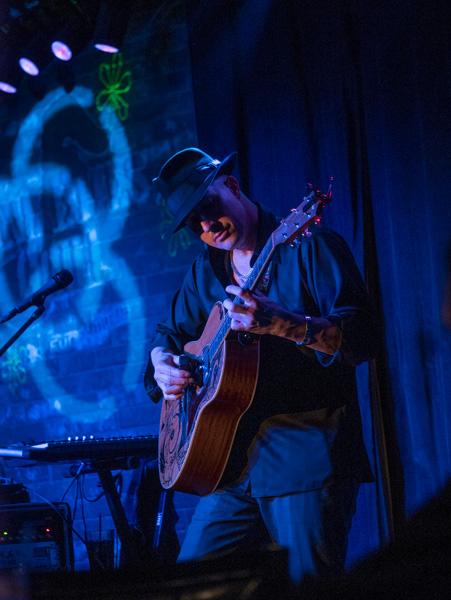
Mazzella Playing the blues during his performance.
Monday I’ll share the black and white conversions of these images.
I have watched Kristi grow and set her work apart from others on so many levels. It has been an amazing journey to watch. Here is some of Kristi’s work and words to inspire you in your artistic quest in photography. While Kristi’s images do not involve painting per se they have a distinctive art feel to them. I turn this post over to Kristi.
“I am a fine art portrait photographer, a good portion of my work is conceptual composites. I create between 40-over 60 composites a week for client orders, some are more involved than others. The amount of time to create the composite varies depending on if I am reinventing the wheel and creating a new concept and artwork from scratch or re-creating a piece that I have created for another client before.
“Most of my backgrounds were taken during our vacations, I pick vacation spots based on images I would like to create. Medieval and abandoned castles are my favorite, this year we are going back to Europe and I already have a shot list of where I want to go.
“After I shoot a session, I upload my images into lightroom and cull through them rating my favorites. After that, I will open my selected image into photoshop and create the composite. Sometimes my composites could be 5 images put together to create the final image and sometimes just 2 images. After I have created my final composite, I use NIK Software Color EFX Pro 4 to create my final vision. I have a few go-to tools that I like to use, but overall each image is treated differently as its own piece of art. Some of my go-to’s are dark contrast and bleach bypass and darken lighten center. The best thing to do is go through all the filters and see what each one does and play with all the levels. Before I start an edit I look at the image and decide what color pallets, hues, and mood I want the final image to portray. I have created hand-painted backgrounds that I photographed and use for textures in my work.
Kristi will be teaching a week long class on “The Fine Art of Portraiture” at Texas school this year. Click on the link to learn more about the class. It will be a very creative and fun class!
Here’s one more use of panoramic photography that I haven’t mentioned in previous posts. Change the number of Mega-Pixels in your camera.
“Say what?” You ask? “And once you explain, tell me why I want to try that?”
Ok, here goes.
You can expand the number of pixels in an image in order to be able to make a larger print by making multiple images and overlapping the capture. After you get back to the studio move those images into your favorite photo stitching programs like Adobe’s Photoshop or AutopanoPro and put the images together. Photoshop has gotten very good at merging images together including a new feature called Content-Aware Fill that can automatically clean up the blank space that can sometimes surround your image.
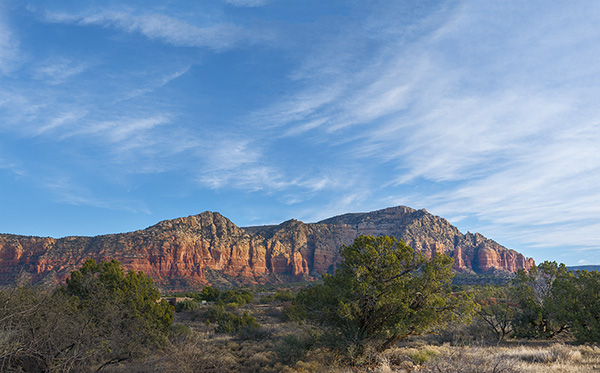
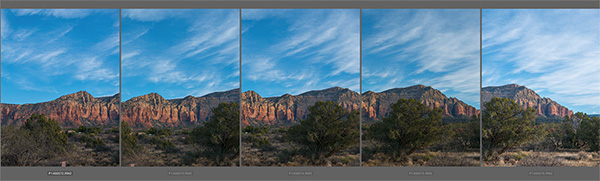
This morning I had my Lumix LX100 with me. I call this the professional’s point and shoot because it has fast glass and is quite versatile with all important controls on dials just like the old days. No need to move into electronic menus to access your settings. All of this is in a quite small package. But the camera is only 12.1MP which yields a 36-megabyte file. In today’s example, I shot five exposures overlapping each by 30-40 percent. After merging the photos I ended up with a 97-megabite file. 97 divided by 3 equals a 32MP capture.
Here is a screen capture of the five images when highlighted in Adobe Bridge.
After the images above were assembled in Photoshop and massaged with Luminarfrom MacPhun.*
With this technique, you can get file sizes you have only dreamed about with a little extra work. Remember if you want to really make a huge file you can use a long lens and do row after row of images and blend them all together. Make sure you capture each row the same way. I always go left to right and top to bottom during my captures.
Yours in creative Photography, Bob
PS – * Luminar software is currently only available for the MAC platform but from what I understand they will be releasing a PC version later this year. Luminar can be used as a stand-alone processing program or as a Plug-in. There’s a sale on ’til the end of the year the link above will take you there.
PPS – The MacPhun software Aurora 2017 HDR is also on special until the end of the year. I’m enjoying the creative processing from MacPhun products.
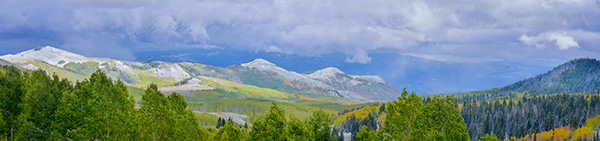
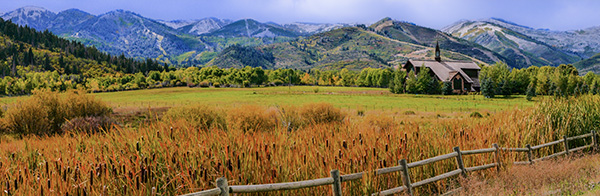
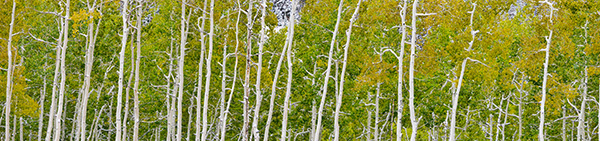
In looking through my files for some examples of in-camera panoramic photos I came across some more examples I wanted to share. I feel the format adds another arrow to the creativity quiver. Here’s a few made with the Lumix GX7.
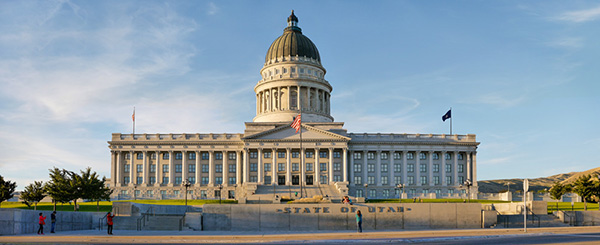
Outside Salt Lake City – Panorama format is perfect for telling the dramatic landscape story.
Another from the Salt Lake City Trip.
A different way to share a scene.
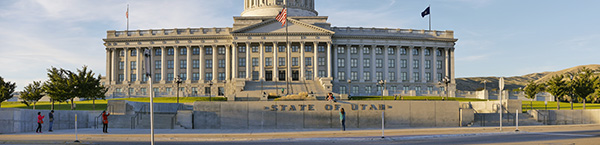
As I was going through my photos, I realized I didn’t share a slightly different idea to leverage the in-camera panorama feature. Sometimes the resulting photo just doesn’t quite cut it as far as capturing the scene. Or you want a file that will have a different aspect ratio but is still a panoramic image. Or, you need more pixels but don’t have time to create a full set of images for future stitching. So here’s two rows followed by the final.
Showing the dome.Showing the base.
Here’s the final with the two stitched in-camera panorama images using Adobe Photoshop.
From the Red Butte Arboretum in Salt Lake City.
One more.
Think about the ways you can use the panorama feature. I don’t have one at my fingertips, but you can also make the panorama vertical.
354,115. That’s a shitpot of words. Just received a year-end review from Grammarly which is a service I subscribe to check my work before I publish my posts and information on the Internet. Hopefully, it makes it a bit more readable for you. They tell me they also helped me find, and fix, about 1,200 writing errors of one type or another. That’s 0.21 percent of mistakes per written word.
Grammarly Graphic Report
They tell me they also helped me find, and fix, about 1,200 writing errors of one type or another. That’s 0.21 percent of mistakes per written word
That’s 0.21 percent of mistakes per written word. Not bad for someone who needed some serious tutoring in English when he started writing books.
As a reference to how much writing this is a typical magazine article is between 1,500 and 2,500 words. Books average between 25,000 and 50,000 words.
For infrared conversion of my cameras I use LifePixel. Infrared allows you to put an older camera to use and opens up a new time time of day for productive image creation.
Learn Photoshop in a fun environment. Aaron Nace applies the right amount of fun with easy to understand and follow tutorials. Actions and brushes are included with lessons!
Best embroidery ever. Give Queensboro a try, get a $20 instant credit to get started by clicking on the logo! They specialize in great quality custom logo apparel and promotional products with the best customer service.
Platypod has become a great resource for being creative in getting your camera gear easily into unusual places. As an Platypod Pro I get to work/play with the gear even before it comes out. Head over to Platypod, subscribe to the newsletter and you will get special discounts reserved only for subscribers.

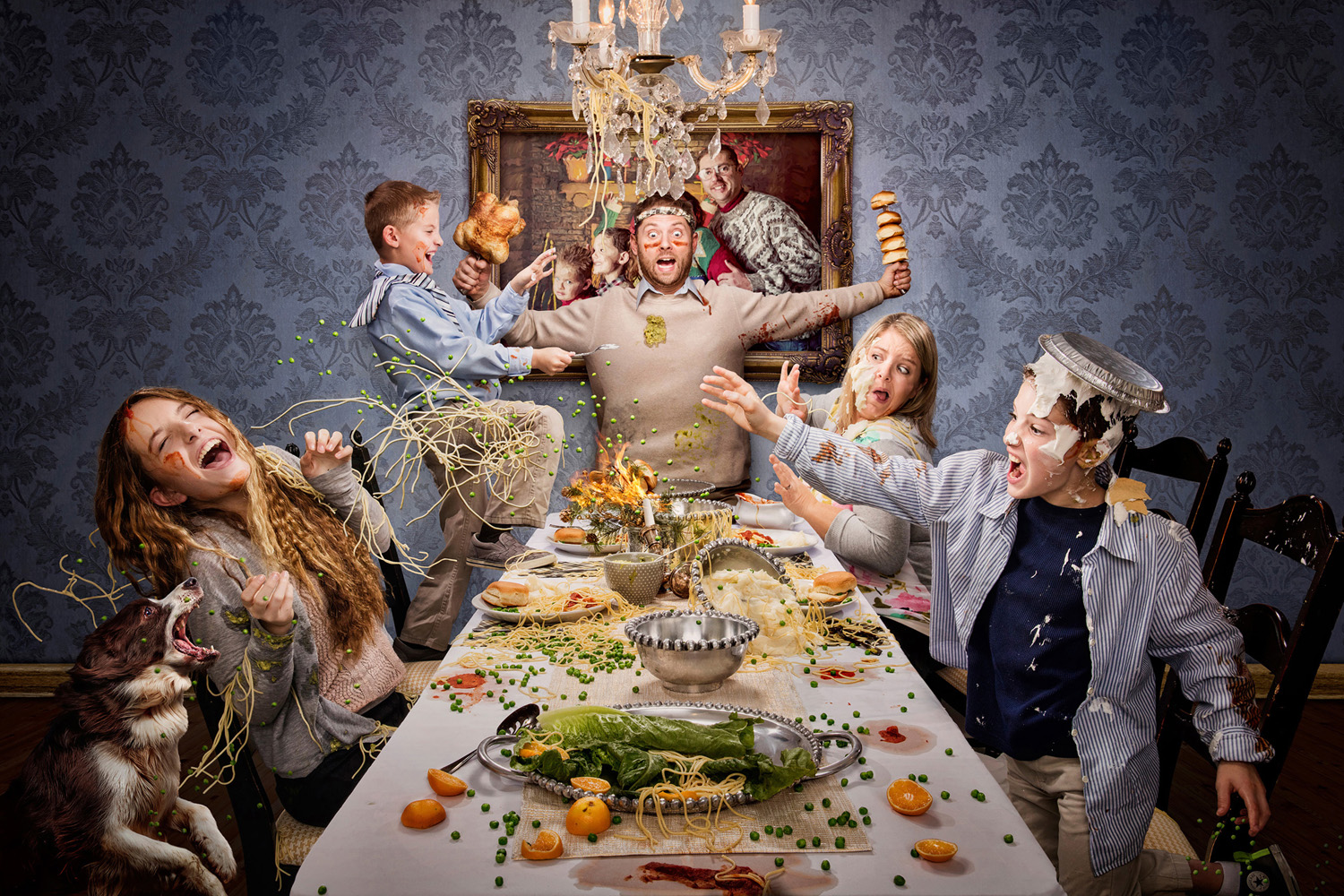
 Dad Started It! This piece was photographed in my client’s garage, capturing each subject’s expression from a tripod and stacking them together in photoshop to create an ideal composition. The food was all real, but the background was manipulated to look like a dining room instead of a garage. © Dan McClanahan
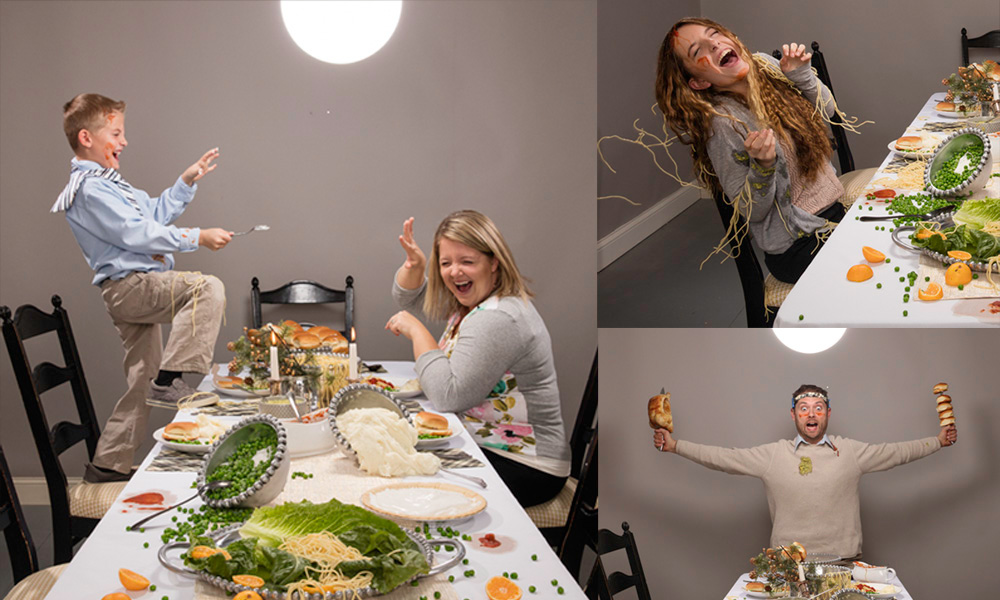 Before images for Dad Started It.
 Sports Poster – Basketball © Dan McClanahan
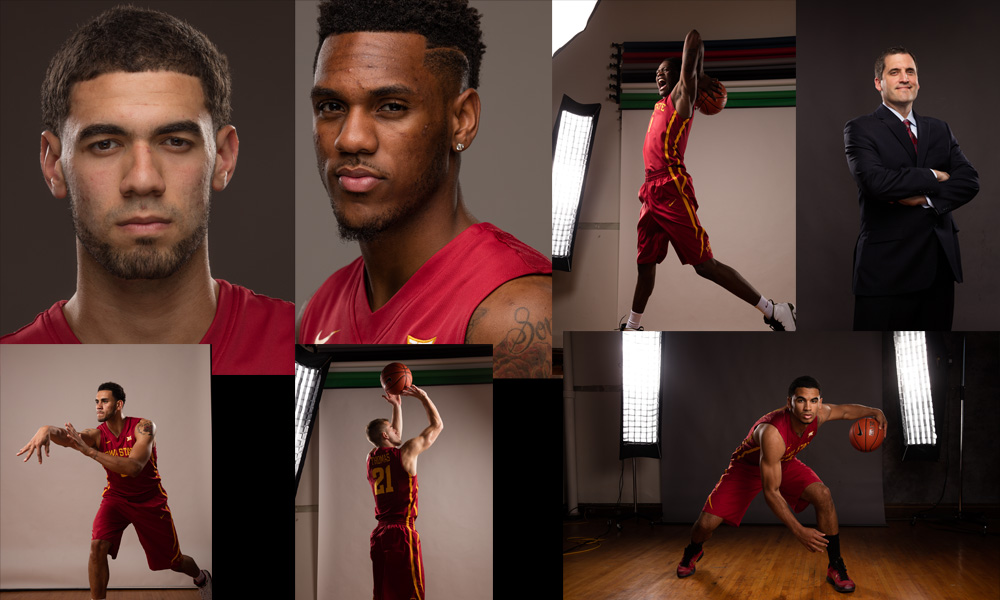 Reference images for sports poster. © Dan McClanahan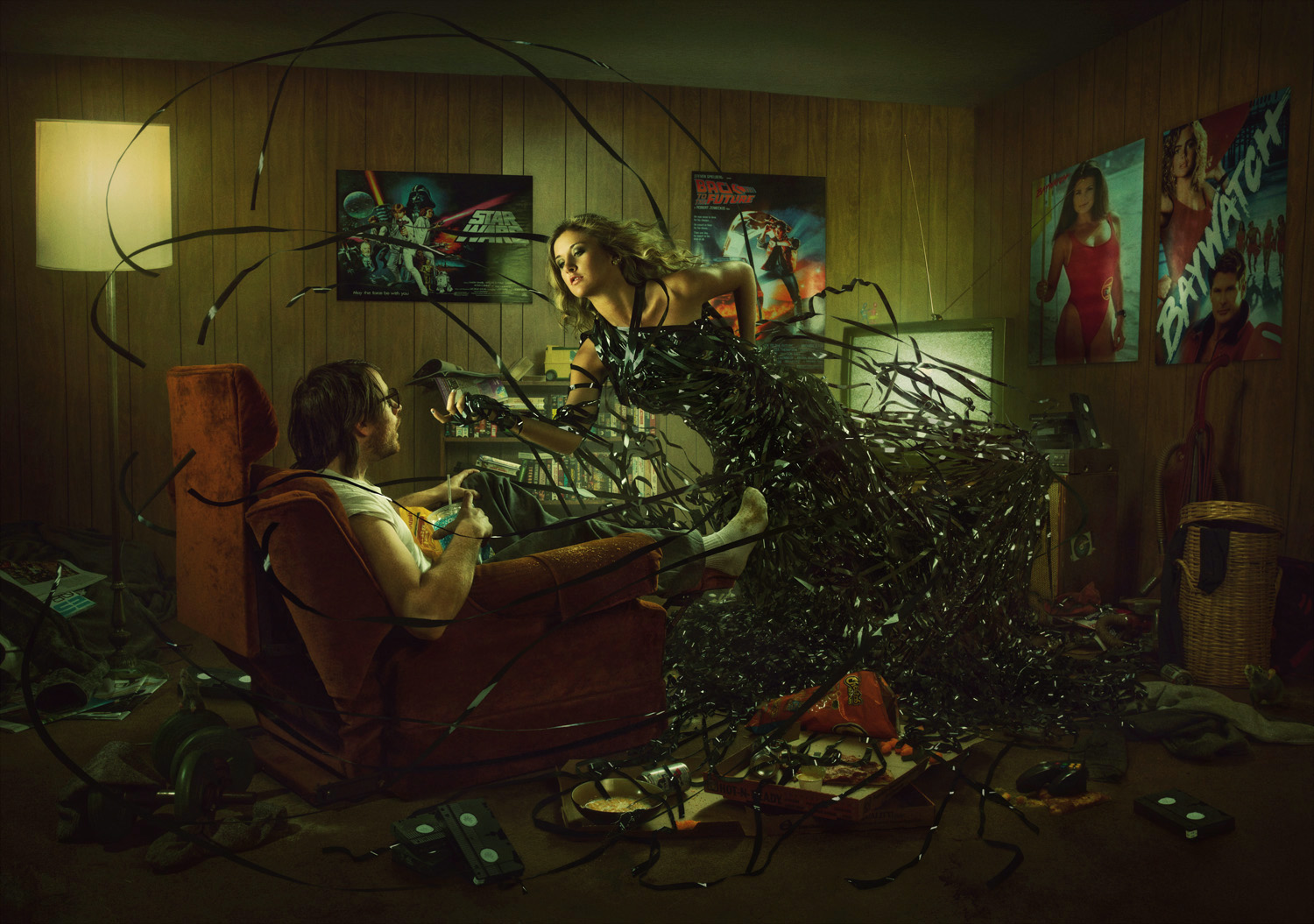
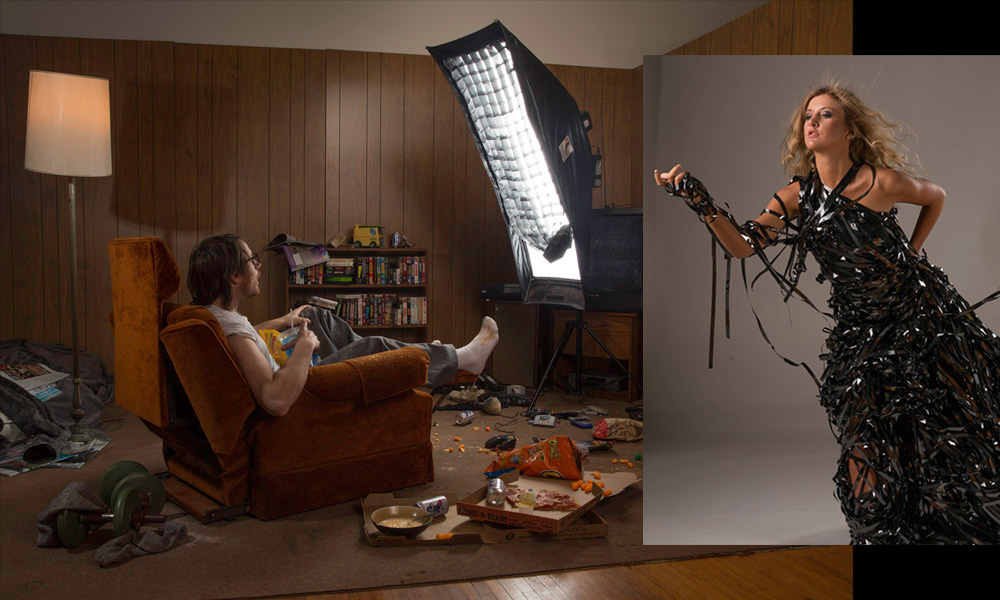 The Dangerous Lure of Entertainment: This was a personal piece. I had a tenant that was a hoarder and left a lot of weird stuff behind when she moved out. I ended up building this set out of her possessions and visually portraying the danger of our culture’s over-addiction to entertainment. It’s something I have struggled with in the past, and I knew people that dropped out of college due to video game addiction. I set the scene in the early 90’s because VHS tape looks way cooler than DVD’s and it was fun to pull some of my childhood interests and possessions in as props. © Dan McClanahan
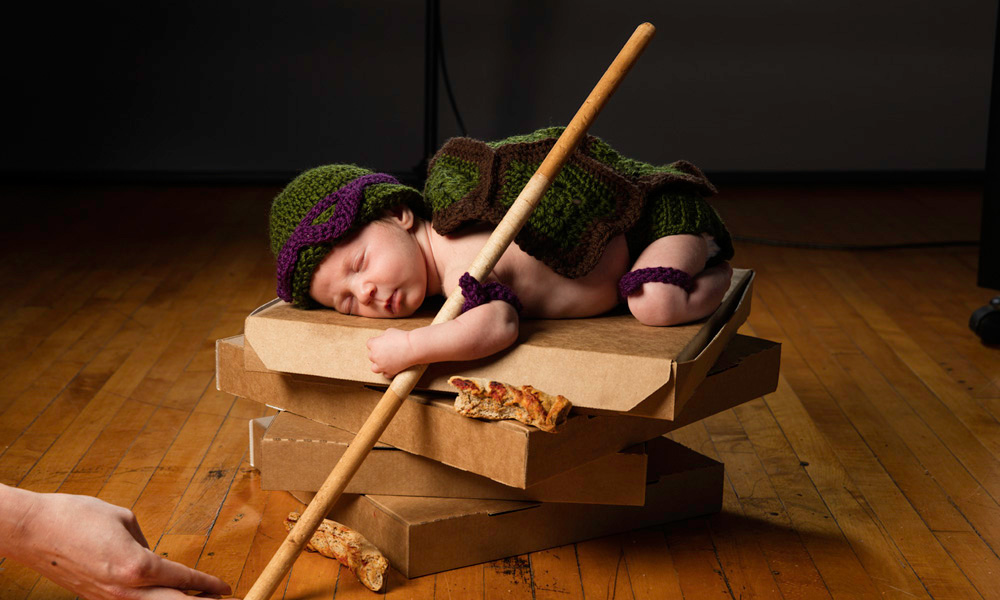
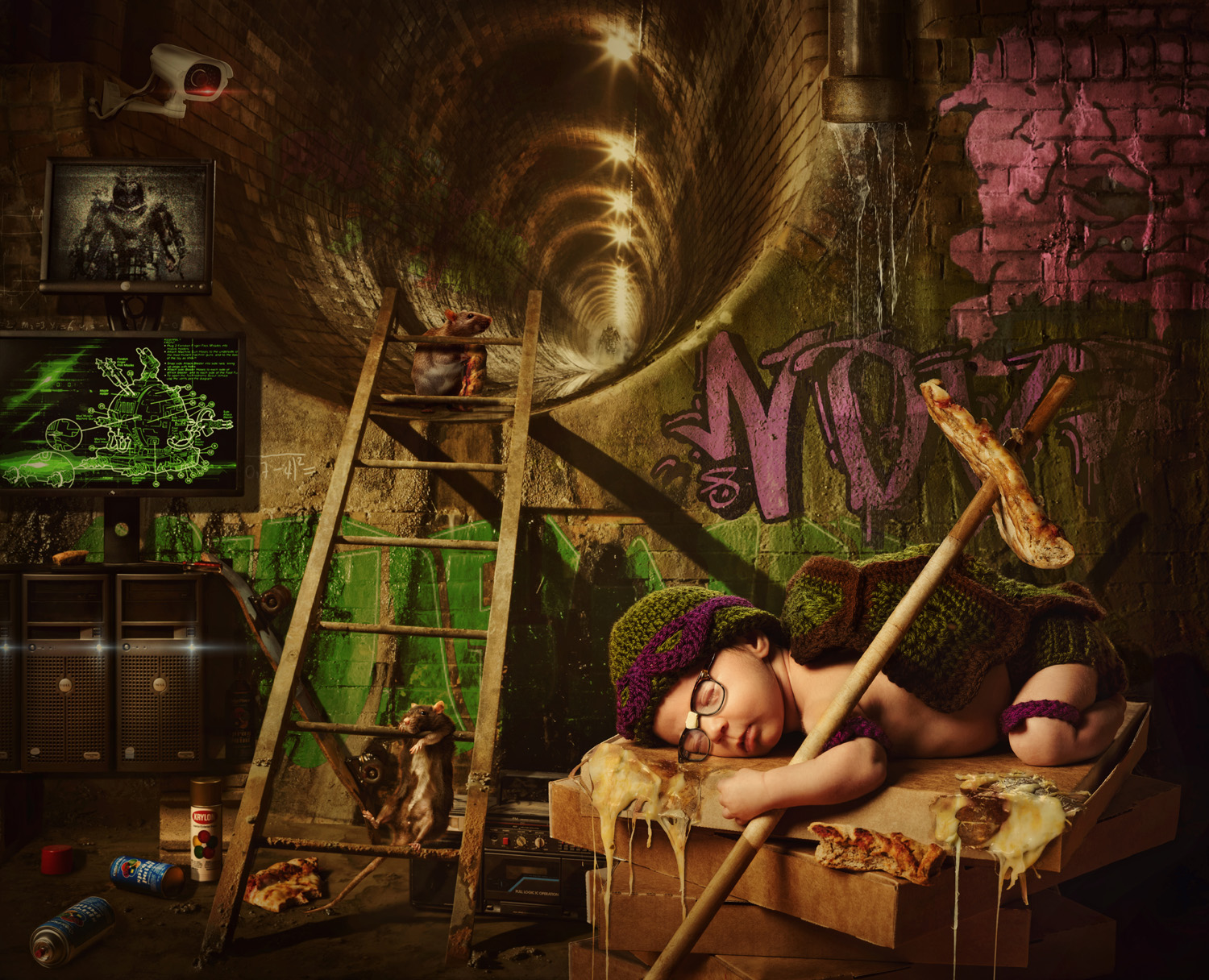 Newborn Mutant Ninja Turtle: I recently became a father and while we hired out our newborn photos to someone with much more expertise than myself, I still wanted to make a newborn portrait “Dan Style.” I mixed several favorites of my wife and me: Teenage Mutant Ninja Turtles, crochet, my father’s glasses, my old boom box, and our favorite local pizza. I figure I better subject my daughter to all of my favorite childhood things in photos before she’s too old to object. © Dan Mcclanahan